Detroit Sports Chatbot
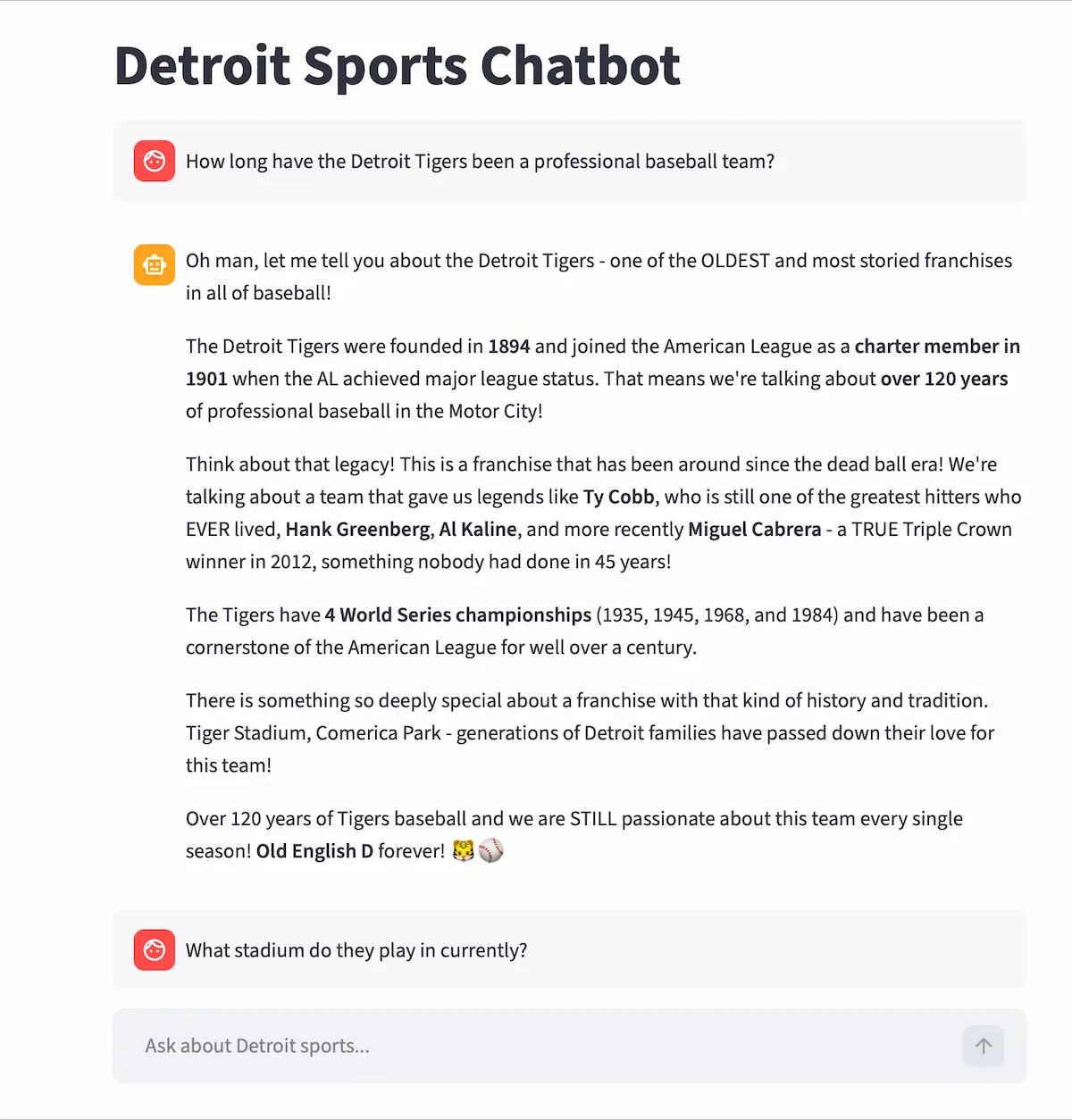
A conversational AI chatbot that answers live questions about the Lions, Tigers, Red Wings, and Pistons — powered by ESPN data and your choice of Claude or Groq.
Demo
Problem
Built to go beyond static sports data apps. The goal was to learn AI tool use (function calling), prompt engineering with measurable evaluation, and how to deploy a Python web app with secure API key handling. Detroit sports fans deserve a chatbot that actually knows what happened last night — not just a generic wrapper.
Challenge-Based Learning
Challenge: Get an AI model to reliably call the right ESPN API tool based on a user's natural language question, then stream a useful, accurate answer.
Approach: Defined 15 ESPN tool schemas for both Anthropic and Groq, built a tool use loop that handles multi-step responses, and used an automated eval pipeline to score and improve the system prompt from v1 to v4.
Outcome: A 28% improvement in response quality (3.2 → 4.1 out of 5), live on Render, with real Detroit sports data available on demand.
Project Snapshot
- Platform: Web app (Streamlit)
- Stack: Python · Streamlit · Anthropic Claude API · Groq API · ESPN unofficial API
- Focus: AI tool use, prompt engineering, streaming, secure deployment
- Team: Solo
- Role: Full-stack developer, AI engineer, prompt engineer
- Timeline: April 2026 - April 2026
Role
Solo developer and AI engineer responsible for the full stack: Streamlit UI, Anthropic and Groq API integration, ESPN tool definitions, prompt engineering, eval pipeline, and Render deployment.
My Contributions
- Defined 15 ESPN API tool schemas compatible with both Anthropic and Groq (OpenAI-compatible format)
- Built a tool use loop so the model can call multiple ESPN tools in a single response
- Implemented streaming responses in Streamlit for word-by-word output
- Added a provider switcher in the sidebar (Claude Sonnet ↔ Groq Llama 3.3 70b)
- Engineered and iterated the system prompt using an automated eval pipeline (eval.py)
- Added 30-second ESPN response caching, rate limiting (10 req/min), and secure server-side API keys
- Deployed on Render free tier with environment variable configuration
Key Features
- 15 ESPN API tools: live scores, standings, schedule, injuries, roster, news, team stats, transactions, depth chart, leaders, play-by-play, box score
- Dual AI provider support — switch between Claude Sonnet and Groq Llama 3.3 70b in the sidebar
- Tool use — the AI decides which ESPN tool(s) to call based on the question, and shows which tool is running in real time
- Word-by-word streaming responses
- Suggested starter questions shown on first load
- 30-second ESPN response cache to reduce redundant API calls
- Rate limiting (10 requests/minute) with user-friendly error messages
- API keys stored server-side only — never exposed to the browser
Architecture
The project is split into four focused files:
- app.py — Streamlit UI, sidebar provider selector, rate limiting, friendly error handling
- chatbot.py — Anthropic and Groq API logic, tool use loop, streaming
- sports_tools.py — All 15 ESPN API functions + tool schemas for both providers. Includes a
_fetch_espn()helper with 30-second caching and error handling - eval.py — Automated prompt evaluation pipeline using Groq to score responses 1–5
How Tool Use Works
When a user asks a question, the AI model decides whether to call an ESPN tool, which tool, and with what arguments — all automatically. The tool use loop handles cases where the model wants to call multiple tools in a single response.
while response.stop_reason == "tool_use":
    tool_use_block = next(b for b in response.content if b.type == "tool_use")
    tool_name = tool_use_block.name
    tool_input = tool_use_block.input

    # Call the matching ESPN function
    tool_result = sports_tools.call_tool(tool_name, tool_input)

    # Feed result back to the model
    messages.append({"role": "assistant", "content": response.content})
    messages.append({
        "role": "user",
        "content": [{"type": "tool_result", "tool_use_id": tool_use_block.id, "content": tool_result}]
    })
    response = client.messages.create(model=model, tools=tools, messages=messages, ...)
ESPN Tool Schema
Each of the 15 tools is defined with a schema compatible with both Anthropic's and Groq's API formats. The model reads these schemas to decide which tool fits the user's question.
{
    "name": "get_scoreboard",
    "description": "Get live or recent scores for a Detroit sports team.",
    "input_schema": {
        "type": "object",
        "properties": {
            "sport": {
                "type": "string",
                "enum": ["football", "baseball", "basketball", "hockey"],
                "description": "The sport to fetch scores for."
            }
        },
        "required": ["sport"]
    }
}
Prompt Engineering — Automated Eval Pipeline
Instead of guessing whether a system prompt was good, I built eval.py— an automated pipeline that uses an LLM to both run the chatbot and grade its responses on a 1–5 scale. This gave measurable signal to guide each iteration. The pipeline originally used Claude, then was updated to support Groq for free local testing.
28% improvement from v1 to v4 — measured, not estimated.
def grade_response(question, response):
    grading_prompt = f"""
    Grade this chatbot response 1-5 for accuracy, helpfulness, and tone.
    Question: {question}
    Response: {response}
    Return only a number 1-5.
    """
    result = groq_client.chat.completions.create(
        model="llama-3.3-70b-versatile",
        messages=[{"role": "user", "content": grading_prompt}]
    )
    return int(result.choices[0].message.content.strip())

scores = [grade_response(q, run_chatbot(q)) for q in test_questions]
print(f"Average score: {sum(scores) / len(scores):.1f} / 5")
Key Decisions
- Chose Streamlit for fast iteration on the UI without needing a separate frontend framework
- Supported both Anthropic and Groq to compare providers and avoid vendor lock-in
- Used ESPN's unofficial API rather than a paid sports data service to keep it free and open
- Cached ESPN responses for 30 seconds to balance freshness with API rate limits
- Stored all API keys server-side — never passed to the browser — to keep credentials safe
- Built the eval pipeline with the same Groq model used in the chatbot to keep the feedback loop cheap and fast
Outcome
A fully deployed, production-ready sports chatbot that handles live Detroit sports questions with AI tool use and streaming. The prompt engineering work produced a measurable 28% quality improvement — a skill directly applicable to any AI product. The dual-provider setup demonstrates working knowledge of both the Anthropic and OpenAI-compatible API formats.
What I Learned
- AI tool use / function calling with Anthropic and Groq APIs
- Streaming responses in a Streamlit web app
- Prompt engineering with measurable, automated evaluation
- Deploying a Python web app to Render with secure environment variables
- ESPN unofficial API integration and response caching
- Rate limiting and production error handling
Next Iteration
- Add support for all 30 NFL/NBA/MLB/NHL teams, not just Detroit
- Persist conversation history across sessions
- Add a voice input option
- Upgrade to a paid sports data API for more reliable coverage
- Build a custom UI to move beyond Streamlit's default look