

The Salon Co.
A 14-page luxury salon website with a full-stack booking engine - 4-step reservation flow, Stripe deposit checkout, real-time stylist availability from Supabase, Resend transactional email, and automated cancellation with a 48-hour refund policy. Owned outright with no monthly platform fee.
The Problem
Most salons are booked through platforms like Square Appointments, GlossGenius, or Vagaro that charge $25–100/month in perpetuity, impose their own branding on every customer-facing page, and in some cases take a cut of each transaction. The UX is generic by design - the same template used across thousands of salons - and the owner never fully controls the experience. The goal was a custom-branded presence built from scratch that feels genuinely luxury: a 4-step reservation flow with per-stylist availability, 25% deposit collection through Stripe, and automated email confirmation and cancellation - all owned outright with no subscription, no platform lock-in, and no commission per booking.
Try It
Previewing at tablet width. Open the full site ↗ for the desktop experience. Also fully optimized for mobile.
You're on mobile - open the full site ↗ for the best experience. Any display issues are caused by the embed, not the site itself.
Admin Dashboard
Every booking, client, stylist, and piece of site content is managed from a purpose-built admin dashboard — no third-party tools, no monthly fee. The owner controls availability, services, reviews, SEO, Stripe keys, and more from one place. Try it below (demo mode — no login required).
Meet Your Stylist
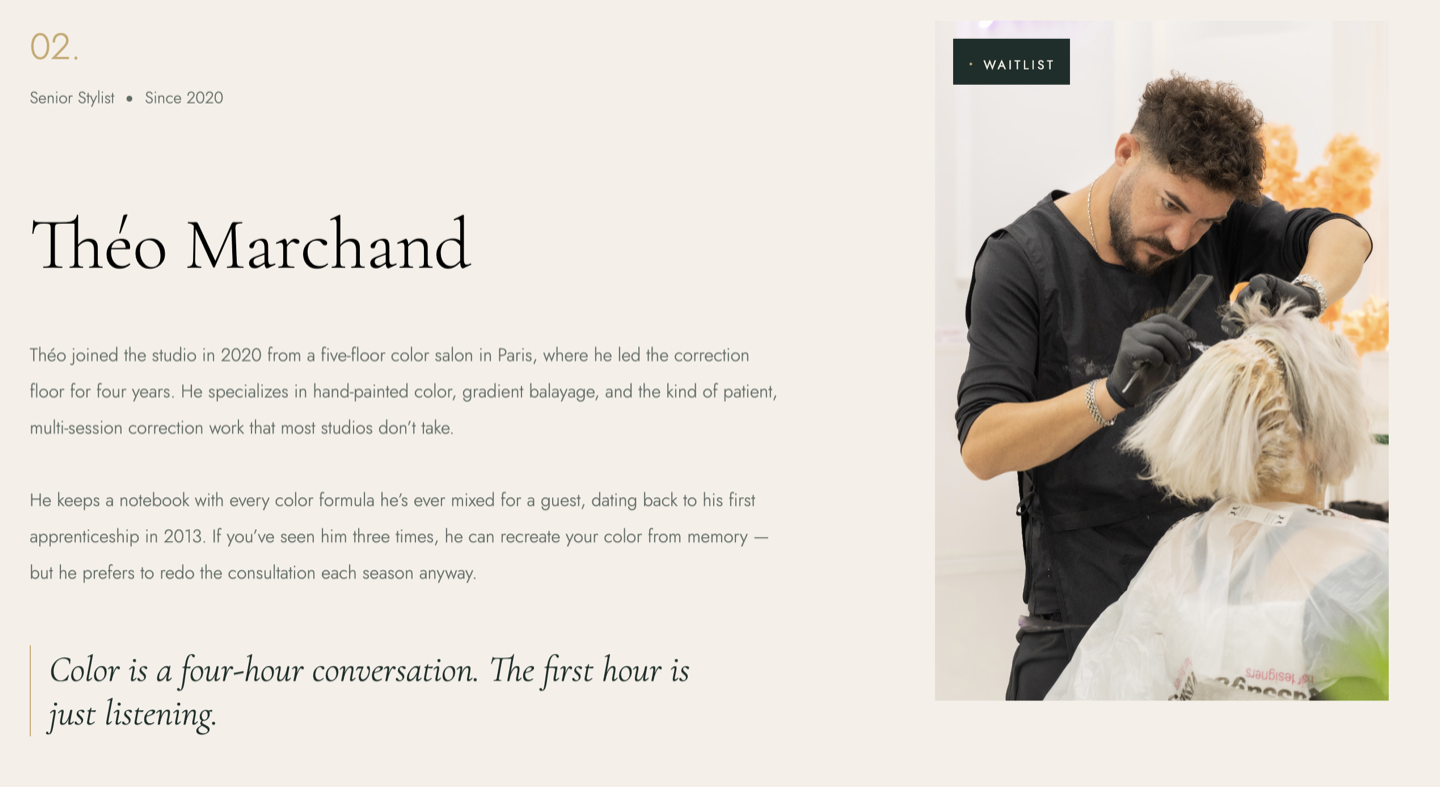
Each stylist has a profile card with their photo, specialty, and bio - so clients know who they're booking before they sit down. Builds trust and reduces no-shows from uncertain first-timers.
Stylist Selection
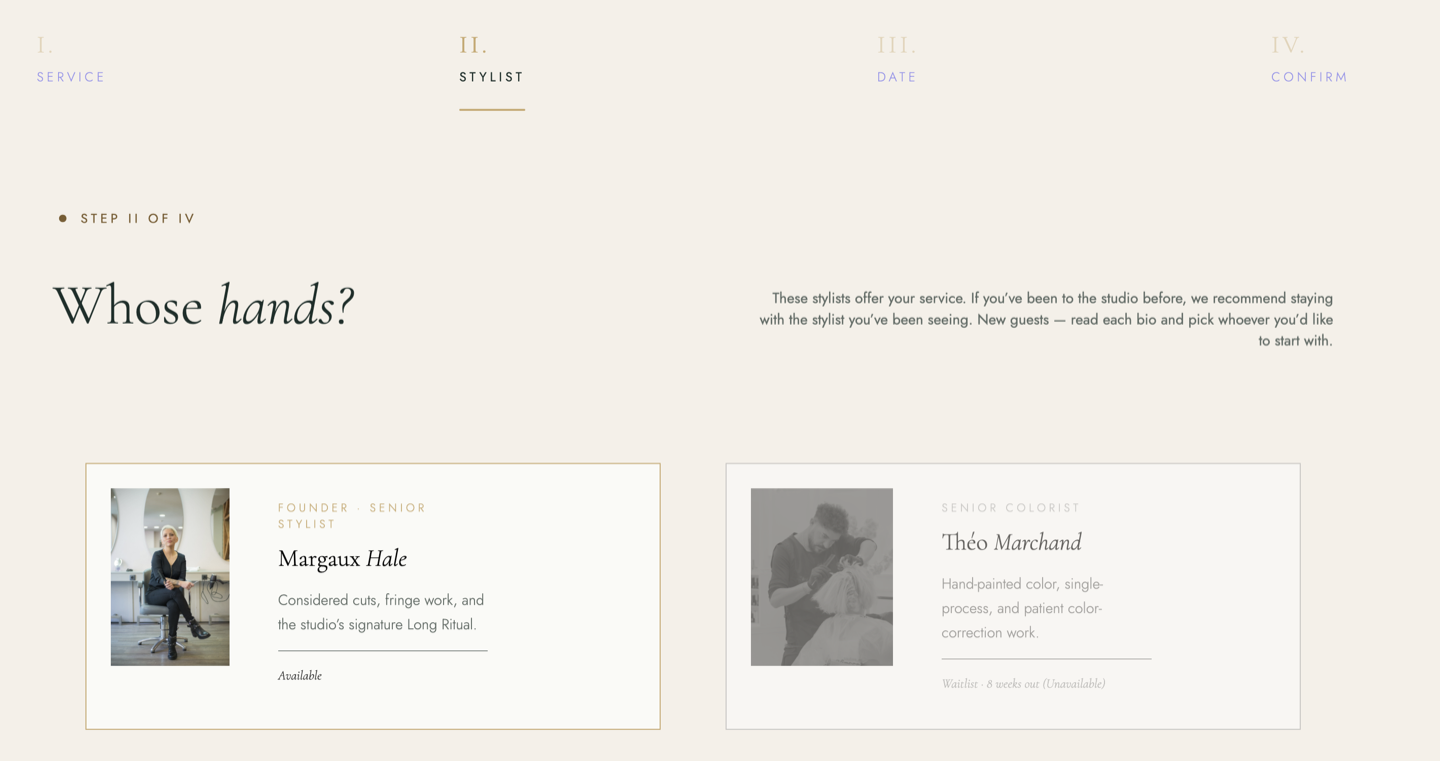
Step two of the booking flow only shows stylists who actually perform the selected service - so clients never see someone who can't help them. Smart filtering at the selection step, not an afterthought at checkout.
Date & Time Selection
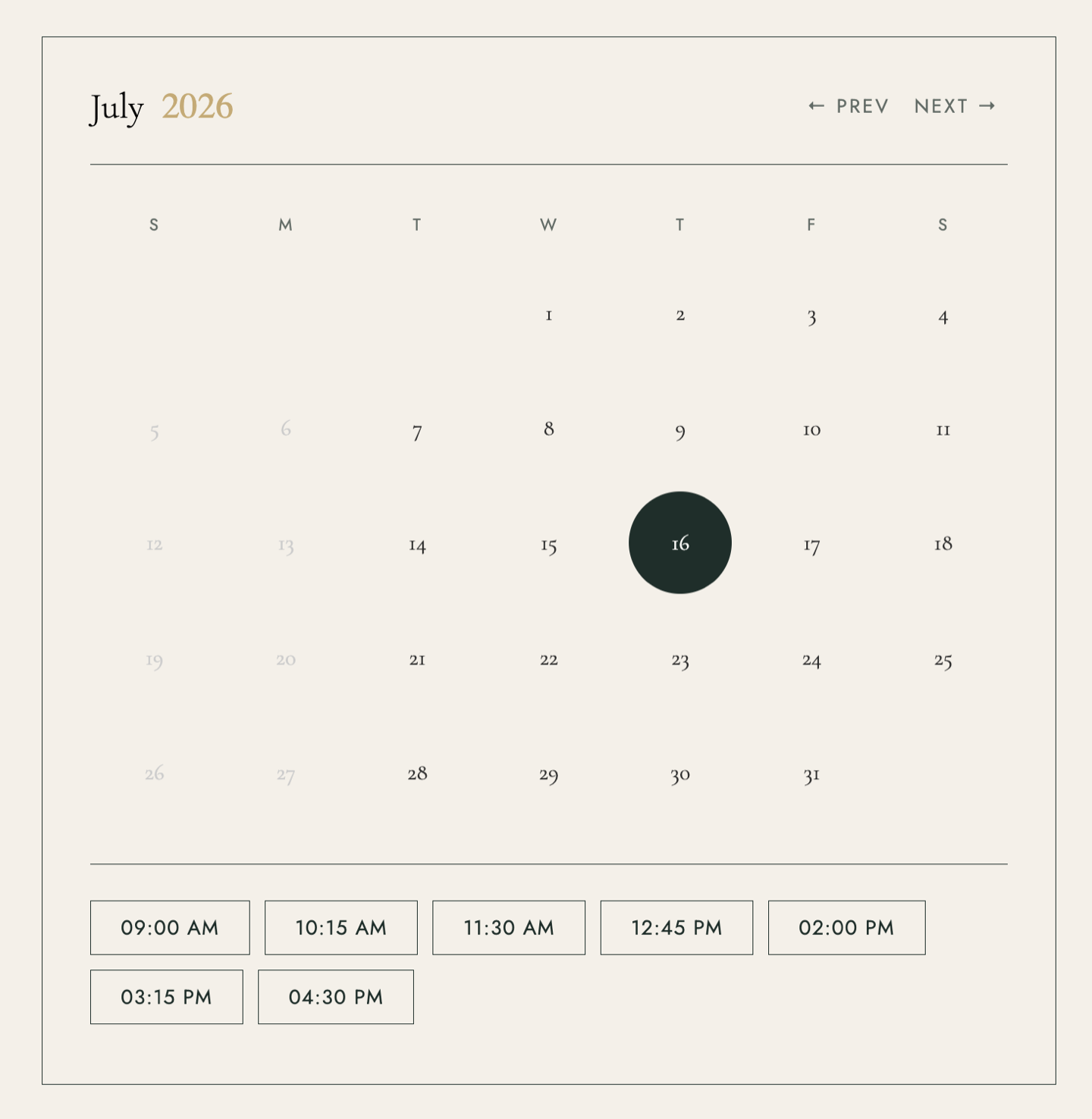
Clients pick their appointment date and time from a live availability calendar - slots reflect the selected stylist's actual schedule.
Mobile Experience
Technical Implementation
Booking Flow
Four steps: service selection (radio buttons mapped to valid stylists per service), stylist selection (cards dynamically enabled or disabled based on both service compatibility and per-stylist availability), date and time selection via a fully custom calendar, and a confirmation step where the client enters their details and pays a 25% deposit. The progress bar updates on each step transition with a smooth scroll back to the top of the booking section.
Stripe Checkout & Webhook
When the client submits their details, the front end POSTs to /create-checkout-session, which validates all inputs server-side, pulls the service price from Supabase, calculates a 25% deposit amount, and creates a Stripe Checkout session. When payment completes, Stripe fires a webhook to /webhook - the handler writes the booking to Supabase and sends a confirmation email through Resend. The success page fetches booking details from Supabase first, falling back to Stripe session metadata directly if the webhook hasn't fired yet - handling the race condition between a fast browser redirect and slower webhook delivery.
Cancellation & Refunds
Each booking is issued a UUID cancel token at insert time. The confirmation email carries that token in a link - no login, no account required, and the URL can't be guessed. When a client clicks it, the server calculates time remaining: cancellations at least 48 hours out trigger an automatic Stripe refund executed server-side through the Stripe API; inside 48 hours, cancellation requires calling the salon directly.
Real-Time Availability
The calendar makes two live API calls when a stylist and month are selected: /closed-dates returns owner-blocked dates stored in Supabase, and /booked-dates returns all confirmed bookings grouped by date so fully-booked days can be greyed out. When a specific day is selected, /booked-slots returns the taken time slots for that stylist on that date - the remaining slots render as selectable buttons. An AbortController cancels in-flight slot requests if the client changes their date selection before the previous fetch completes.
Scroll Behavior & UI
A scroll event listener transitions the header to its condensed sticky state once the page scrolls past 10px. The reviews carousel auto-rotates every 3 seconds with clickable progress bar dots that jump to any review directly. The gallery filter uses CSS class toggling to show and hide items by category - no external library. The FAQ accordion manages open/close state with display toggling, defaulting to the first item open on load.
Contact Form
The contact form POSTs to /contact, which sends a formatted email to the salon owner through Resend with a reply-to header pointing at the client's address - the owner can reply directly from their inbox without any intermediary dashboard.
SEO
Schema.org HairSalon JSON-LD structured data on the homepage with address, hours, and contact details. Verified passing in Google's Rich Results Test.
The Outcome
A 14-page luxury salon presence the owner controls outright - no subscription, no commissions, no platform lock-in. Each of the four core services (precision cut, color highlights, blowout, keratin treatment) has its own SEO-optimized page with pricing, description, and a direct booking link. Clients can browse services, see stylist availability in real time, book and pay a deposit through Stripe, and cancel if needed - all from the same site. Designed and built solo. Part of the Small Business Platform Suite.
Need a website for your business? I take on select freelance web projects.
Let's talk →