

White Bear Harmonics
A real client - a Michigan energy healing and acupuncture practitioner - live and taking bookings on a full-stack platform I designed and built solo. Stripe checkout, tiered refunds, gift cards, self-serve branding, and a no-code admin dashboard built as a Mindbody alternative for solo practitioners.
The Problem
Solo wellness practitioners - acupuncturists, energy healers, Reiki providers - are paying $100–200/month for platforms like Mindbody or Vagaro that were built for large gyms and feel like it. The booking UX is generic, the branding belongs to the platform, and the features they're paying for go mostly unused. The goal was a fully custom-branded booking experience on a platform built specifically for solo practitioners - at a fraction of what Mindbody charges, with no commission per booking and no generic branding.
What the Real Client Changed
Two assumptions I built in during the spec phase turned out to be wrong once I was working with an actual practitioner.
Availability isn't a weekly template. The initial model gave practitioners one schedule that applied to every day of the week. White Bear Harmonics runs her practice alongside a full-time job - meaning weekday hours are evenings only, while weekends are completely open. A single schedule block couldn't express that. I rebuilt availability as per-day rules with independent start and end times, so Monday through Friday can be configured entirely separately from Saturday and Sunday.
Services aren't flat items. The initial model assumed one service = one price = one duration. White Bear Harmonics' offerings don't work that way - "Acupuncture" isn't a single thing, it's a 30-minute community session, a 60-minute individual session, and a 90-minute deep treatment, each priced differently. Showing just the service name with one price stripped out the information clients actually need to decide. I added service variants - child records per offering under each parent service - and surfaced them in a slide-out detail panel on the public site so clients can compare and select before booking.
Live Client Site
Live production site - active and taking bookings. Open full screen ↗
You're on mobile - open the live site ↗. Any display issues in the embed are caused by the iframe, not the site itself.
Admin Dashboard
Everything runs from a single protected dashboard. No code, no developer on call - every change reflects on the live site immediately. Live read-only demo below, no login needed.
A 7-step onboarding wizard walks non-technical owners through setup in the right order: business info, connecting Stripe (publishable key, secret key, and webhook, each saved individually), connecting Resend with a live test email, adding their first service, setting weekly availability, and optionally connecting a custom domain via the Cloudflare API.
- Appointments - one-click cancel + Stripe refund, private notes, CSV export
- Availability - per-day rules with independent hours; weekdays and weekends configured separately
- Services - multiple variants per service with independent pricing and duration, drag-to-reorder
- Gift cards, session packages, and discount codes - all validated server-side, all managed from the dashboard
- Appearance - 5 color palettes and 5 font combinations that apply to the live site instantly
- Content and SEO - hero, bio, FAQ, banner, and per-page meta tags all editable without code
- Integrations - the owner pastes their own Stripe and Resend keys directly into the UI
- Email automations - a post-appointment review request email fires automatically N days after each session; the owner sets the delay, the Google Review URL, and custom subject and body from the dashboard — no developer involvement
Full admin feature list
Operations
- At-a-glance overview - today's schedule, monthly revenue, upcoming appointments, unread messages
- Client directory - searchable by email, full visit history, session count, total spend
- Reviews - approval queue before anything goes live, feature toggle for homepage
Monetization
- Gift Cards - purchased via Stripe, emailed to recipient, balance deducted server-side; partial balances accepted with the remainder charged via Stripe, auto-restored on cancellation
- Session Packages - bundles of sessions sold at a discounted rate; Stripe checkout issues a gift card code to the client by email, which they apply at booking; balance decrements per session until exhausted
- Discount Codes - percent-off or fixed-dollar, usage limits, expiry dates, server-side validated
Services & Site Control
- Services - image upload, drag-to-reorder, variants with independent pricing and duration
- SEO - custom meta title, description, and Open Graph tags per page
Desktop
Promotional Banner
The owner can set a site-wide alert banner from the admin dashboard - custom text, custom destination. In this example it links directly to checkout with a 30-minute consultation pre-selected, so a visitor goes from seeing the offer to being one click from booking. No code change, no developer call.

Gift Cards
Gift cards are a first-class feature - promoted on the site, purchased via Stripe, and delivered to the recipient by email with a unique code. Clients can check their remaining balance anytime and redeem at checkout.

Gift Card Balance
Recipients can check their remaining balance at any time before redeeming - no account needed, just the code.
Service Selection
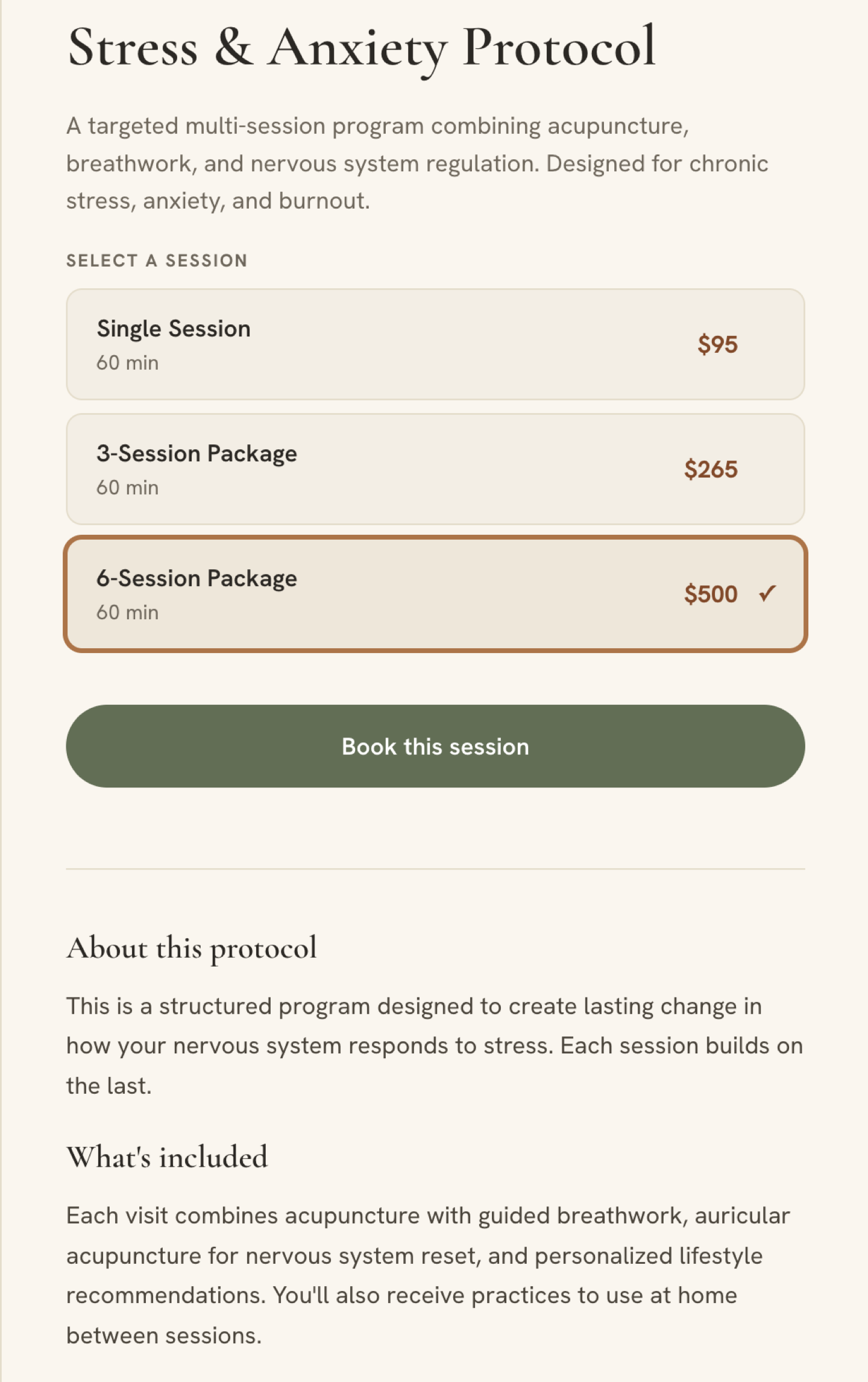
Each service page does two things at once - lets the client choose from variants and session lengths, and educates them on what the service is and what to expect before they book. The owner controls all service offerings, descriptions, and pricing from the admin dashboard.
Booking Scheduler
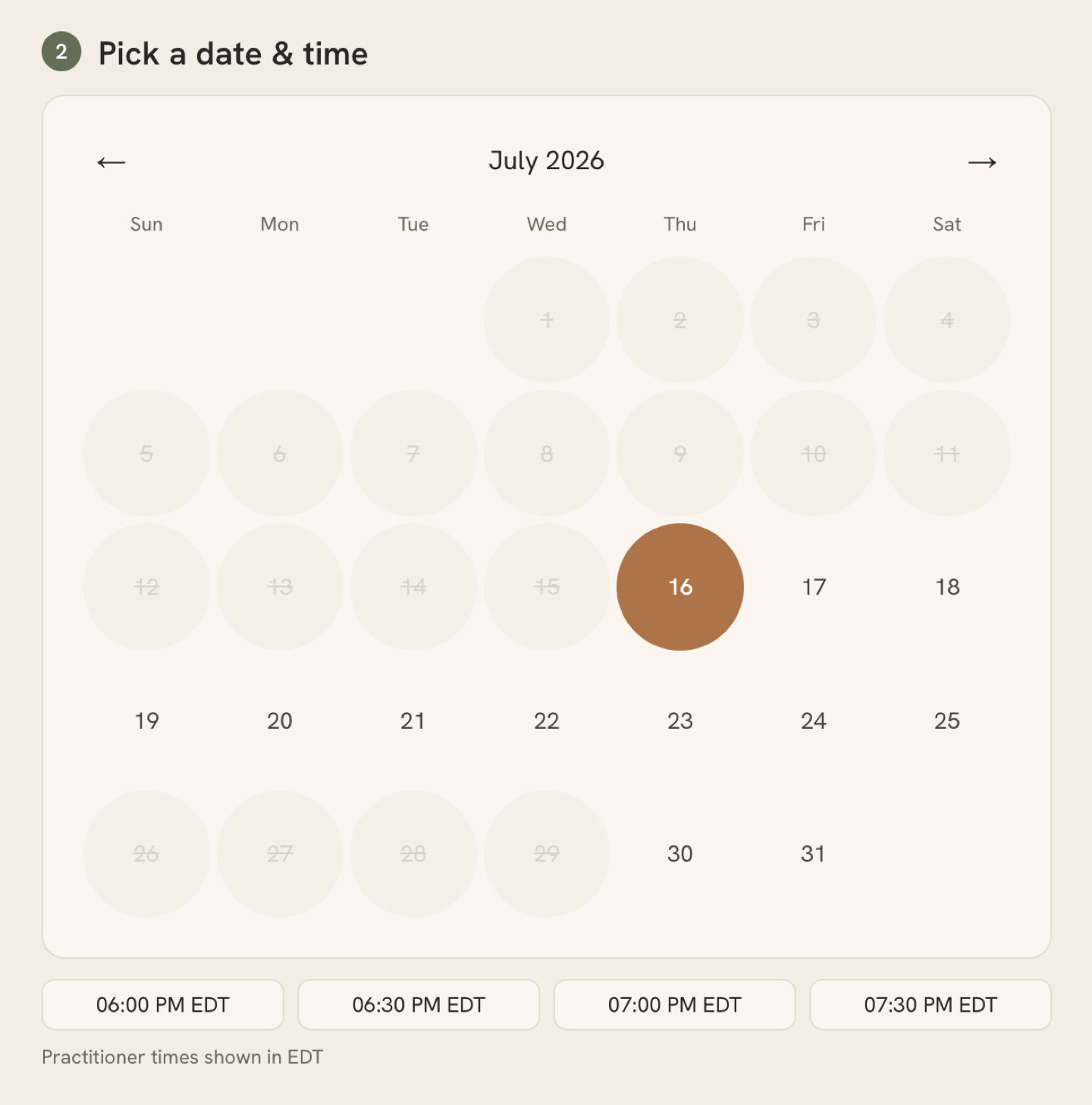
The booking calendar shows real-time availability based entirely on the schedule the owner sets in the admin dashboard - hours, blocked dates, and service durations. No developer needed to make changes. The owner updates their availability and the calendar reflects it immediately.
Mobile Experience
Technical Implementation
Booking & Payment Flow
When a client completes checkout, Stripe redirects to /api/confirmation - a server-side handler that writes the appointment to Supabase and fires the confirmation email via Resend. A parallel Stripe webhook runs as a safety net for abandoned browsers, with idempotency checks to prevent duplicate bookings. Either path alone produces a confirmed appointment; a failed payment never does. Four distinct email flows run through Resend: booking confirmation with a cancel/reschedule link, cancellation receipt with refund amount and processing timeline, reschedule confirmation, and contact form notifications routed to the practitioner.
Appearance System
The appearance system is built entirely on CSS custom properties. Selecting a palette in the admin writes the choice to the database; the client site reads it on load and injects the variables into :root. A small synchronous theme-init.js in the <head> reads a localStorage cache of the last-known palette and applies it before the first paint, eliminating any color flash while the async API call is in flight.
Demo Mode
A read-only demo mode makes the admin accessible from this portfolio without exposing write endpoints. Every mutating action is intercepted client-side and replaced with an informational toast - demo sessions never reach the API. The color palette and font combination cards remain interactive so visitors can experience the appearance system live.
Cancellation & Refunds
Each appointment is issued a UUID cancel token at insert time. The confirmation email carries that token in a link - no login required, and the URL can't be guessed or enumerated. When a client clicks the link, the server calculates time remaining and determines their refund tier: full refund beyond 48 hours, 50% inside 48 hours, nothing for no-shows. Rescheduling always issues a full refund regardless of timing. All refunds are executed server-side through the Stripe API automatically.
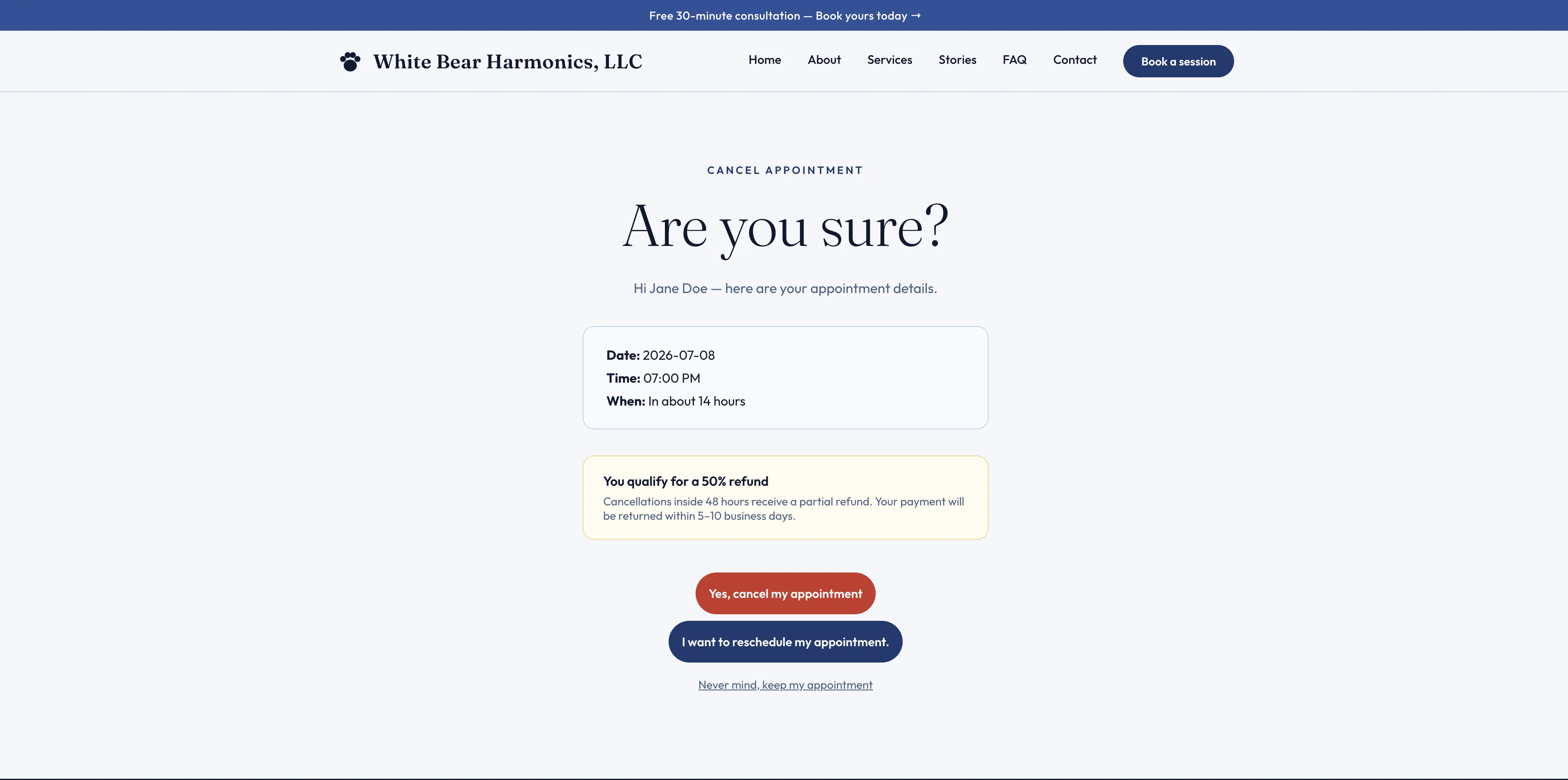
Live on White Bear Harmonics - clients inside 48 hours see a partial refund notice before confirming. The refund executes automatically through the Stripe API. Click to expand.
SEO
Every page gets unique title, description, and Open Graph tags assembled from the database and injected server-side before the response leaves the server - search engines and social link previewers see complete, page-specific metadata with no client-side JavaScript involved. The practitioner controls all SEO copy from the admin dashboard. Footer contact data (phone, email, address) is injected server-side so crawlers see real business information rather than JavaScript-dependent placeholders. An og:image fallback ensures the branded social share image appears on every page even if the admin field is left blank.
A suite of Schema.org JSON-LD blocks is injected into the <head> of every page server-side: HealthAndBeautyBusiness (with service catalog, area served, and price range), Person (linking the practitioner to the business for Knowledge Panel accuracy), WebSite (establishing the canonical domain), and BreadcrumbList on all inner pages. The FAQ page additionally receives a FAQPage schema block built from live database records - eligible for Google's FAQ rich result accordion. All schema is rendered in the initial HTML response, making it fully reliable for crawlers that don't execute JavaScript.
URLs across the platform use clean paths (/services, /about, /faq) with permanent 301 redirects from the legacy .html equivalents. The sitemap uses clean URLs and all internal links are consistent - no mixed signals to Google about canonical paths.
Reviews
The review system handles the full lifecycle: a public submission form on the client site, an admin approval queue where the practitioner accepts or rejects each review before it goes live, and a feature toggle that promotes one review to the homepage. No review appears publicly without explicit admin approval.
Gift Cards, Packages & Discount Codes
Session packages and gift cards share the same underlying system. A package purchase goes through a dedicated Stripe Checkout session - on completion, a webhook inserts a gift card record into the database and emails the buyer a unique code at the full package balance. The client applies that code at booking and the balance decrements per session until exhausted. This meant packages required no new checkout infrastructure - the gift card redemption, partial-balance, and cancellation-restore logic already handles them correctly.
On completion, a webhook inserts the card into the database and emails the recipient a unique code. At booking time, the client enters the code - the server validates it and checks the remaining balance. If the balance covers the full price, the appointment is confirmed directly without a Stripe charge. If the balance is partial, the server creates a Stripe Checkout session for the difference only, with the gift card code and amount carried in the session metadata; the webhook deducts the gift card balance and stores both amounts on the appointment row once payment clears. If the appointment is later cancelled through the admin dashboard, the Stripe portion is refunded and the gift card balance is restored independently - both always happen regardless of which path was taken.
Discount codes are validated and applied entirely server-side - the client sends the code and the server re-validates it independently before creating the Stripe session, so the frontend price display is never trusted. Usage count increments in the Stripe webhook after confirmed payment. Codes support percent-off or fixed-dollar discounts, optional per-tenant usage limits, and optional expiry dates. Both gift cards and discount codes are managed from the admin dashboard without developer involvement.
Practitioner Notifications
Every new booking - whether paid through Stripe or a free consultation booked directly - triggers a notification email to the practitioner alongside the client confirmation. The email includes the client's name, contact info, date, time, any notes they left, and a direct link to the dashboard. Both the Stripe webhook path (for paid services) and the free booking path fire this independently so no booking ever goes unnoticed regardless of which code path handled it.
Auth & Multi-Tenancy
The admin is protected by Supabase Auth with a rate-limited login endpoint and JWT validation on every protected route. Password reset is handled through a tokenized email flow. The architecture is multi-tenant from day one - a single middleware reads an X-Tenant-Slug request header and scopes every database query to that tenant. Onboarding a new practitioner means inserting a row and deploying a Vercel project, no schema changes, no code forks. Two cron jobs run nightly. The first sends a 24-hour appointment reminder to each client before their scheduled session. The second fires a post-appointment follow-up — a "How was your session?" email with a direct Google Review CTA — sent automatically N days after the appointment, configurable per tenant. Both track a sent flag on the appointment row so no client receives a duplicate. Subject line, body, review URL, and send delay are all editable from the admin dashboard without developer involvement. A GDPR-compliant cookie consent banner appears on first visit with accept/decline options; the choice persists in localStorage so the prompt never re-appears.
Post-Launch
Shipping the platform was the start, not the end. After go-live I continued iterating based on real usage - treating it as a production product, not a finished deliverable.
- ✓Booking notifications - the practitioner gets an email for every new booking, paid or free consultation, fired independently by both code paths so no appointment goes unnoticed.
- ✓Date range blocking - blocked dates now support range selection; the practitioner marks a start and end date to take multiple days off at once instead of entering each day individually.
- ✓Service detail panel - clients can open a full detail view per service before booking, covering what to expect, session options, and available variants. Tapping a service like Biofield Tuning opens a dedicated panel with sub-selections before entering the booking flow.
- ✓Fixed an XSS vulnerability - dynamic FAQ content from the API was injected into
innerHTMLwithout sanitization; all API content is now escaped before rendering. - ✓SEO and conversion tuning - keyword-targeted
<h1>, semantic heading structure, booking CTAs after the two highest-intent questions, newsletter capture, and GA4 event tracking on every accordion open so the practitioner can see which questions visitors care about most. - ✓Search Console audit and canonical fixes - identified three Search Console issues from live data:
.htmlvariant URLs building canonicals that pointed to themselves instead of the clean path, service card<a>tags generating crawlable?service=URL variants, and a double-slash bug in JSON-LD schema markup producing malformed URLs. Fixed the canonical build to strip.htmlextensions, addedrel="nofollow"to service deep-link cards so Google stops discovering booking-flow variants, and corrected the schema URL. - ✓Keyword-optimized metadata seeded for all 8 pages - audited GA4 organic search data showing 38 sessions and 8 key events in 28 days, then wrote and seeded page-specific meta titles and descriptions for every public page directly into Supabase. Titles lead with the search term rather than the brand name (e.g. "Energy Healing Sault Ste. Marie | White Bear Harmonics") to weight the keyword phrase at the front where Google scores it most. Descriptions pack in service keywords - QHHT, Reiki, Biofield Tuning - since Google bolds matching words in search results, improving click-through rate without keyword stuffing.
- ✓LCP reduced from 9.7s to 2.9s - identified the hero portrait as the Largest Contentful Paint element and moved its
<link rel="preload">server-side so the image is declared as a high-priority resource in the initial HTML response rather than being discovered after JavaScript executes. Deferred Google Tag Manager to the load event, eliminating the 178ms main-thread block it was causing during initial render. - ✓Cumulative Layout Shift eliminated - diagnosed three CLS sources: font FOUT caused by a
fonts.gstatic.compreconnect that was pre-loading woff2 files within the browser's 100ms optional block period and triggering a late font swap; a shimmer animation usingbackground-position(non-composited, triggers layout); and GTM forced reflow during render. Fixed by removing the gstatic preconnect, switching the shimmer to a GPU-compositedtransform: translateX()animation, and deferring GTM to the load event. - ✓Lighthouse Accessibility: 96 → 100 - the service detail slide-out panel had no accessible name for screen readers; added
aria-labelledbypointing to the panel heading so the dialog is correctly announced on open. - ✓Microsoft Clarity analytics - added session recording and heatmap tracking across all 14 public templates. Privacy policy updated to disclose both Clarity and GA4, including a Cookies section explaining what each tool sets and how to opt out.
The Outcome
The Wellness Co. is the spec deployment that proved the platform. White Bear Harmonics is the first real client - a Michigan wellness practitioner who went from zero online presence to a fully live booking business.
- Zero code required. The client connected their own Stripe account, configured Resend, set branding, built out services with variants and pricing, and went live - entirely through the admin dashboard.
- Full SEO coverage at launch. Custom meta titles, descriptions, and Open Graph images on every page. Google Analytics (GA4), Search Console verified, sitemap submitted, and a Google Business Profile live on Maps - all set up as part of go-live.
- Post-launch technical SEO. Full Schema.org suite (HealthAndBeautyBusiness, Person, WebSite, BreadcrumbList, FAQPage), clean URLs with 301 redirects sitewide, og:image fallback system, and a Supabase audit that verified data integrity and cleared all test records from the live database.
- Homepage ranking at average position 2.06 on Google organic search. Keyword-optimized titles, Schema.org markup, and server-side metadata produced a near-#1 organic ranking for the homepage. 10 clicks from 165 impressions in the trailing 28 days — consistent with a low-volume local search niche where most visitors arrive through direct or referral.
- No deployment work to onboard. The multi-tenant architecture means adding a new practitioner requires no code changes, no schema updates, and no new deployment.
- Organic social driving real traffic. 24 new users and 27 sessions arriving from social - Karen sharing her own site is the channel, no paid promotion.
- International reach without any outreach. Active users from Canada, Sweden, and France - a local Michigan practitioner with a global footprint from organic discovery alone.
- 237% active user growth in the most recent period as the site builds momentum through search and social.
Designed and built solo in four weeks. Part of the Small Business Platform Suite.
Client Feedback
"My website is Beautiful! 🤩 Thank you George!"
Live Website

White Bear Harmonics | Energy Healing in Michigan
QHHT, Reiki, Biofield Tuning, and more - book a session with Karen L Alexander, PhD.
 Scan or click to visit the live client site
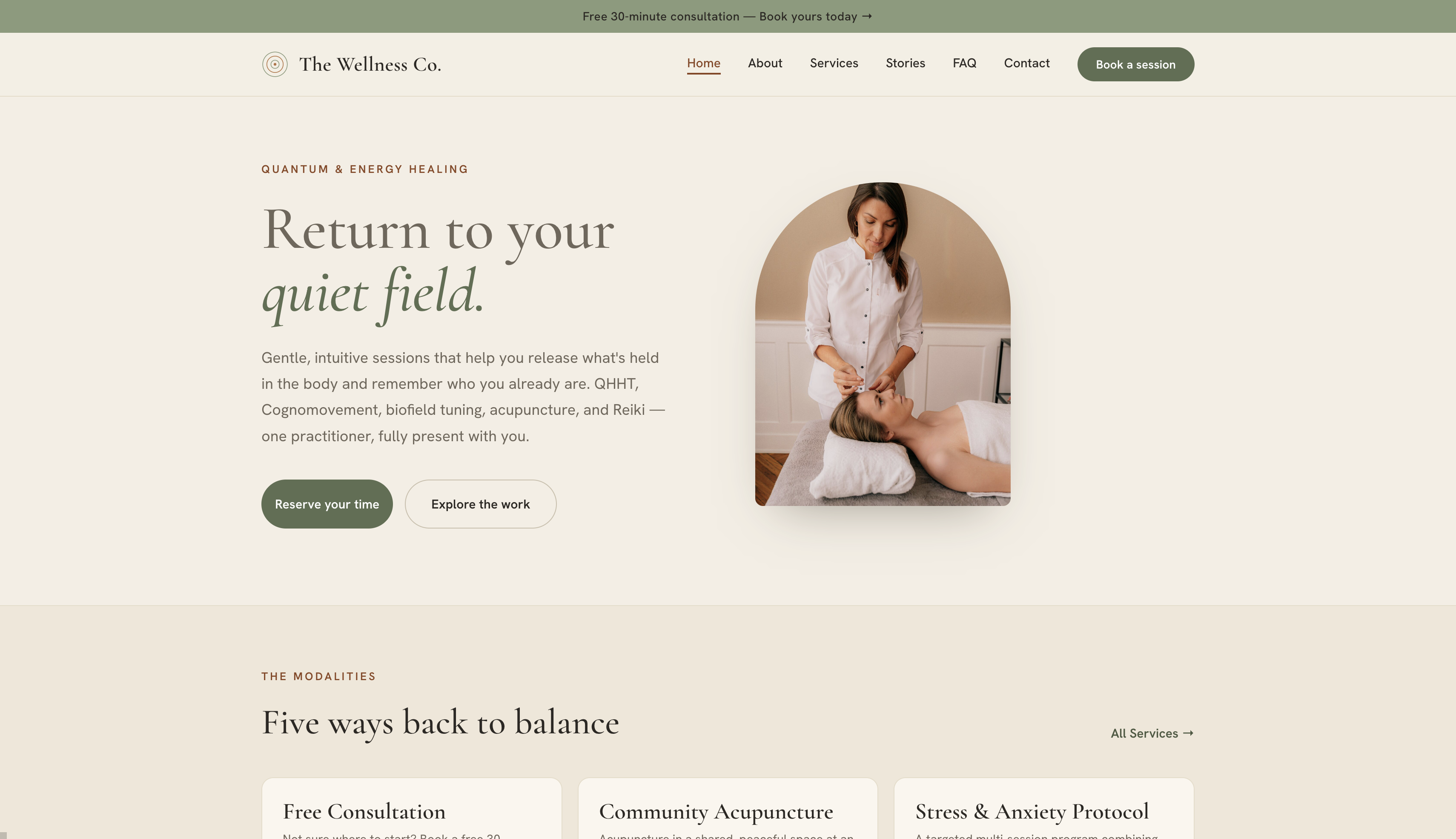
 the-wellness-co.vercel.app
Need a website for your business? I take on select freelance web projects.
Let's talk →