

Crystal Lake Resort
A real client - a Michigan lakefront resort with motel rooms and private weekly cottages, live and taking bookings on a platform I designed and built solo. Stripe deposit checkout, automated emails, and a no-code admin dashboard - built to eliminate OTA commissions entirely.
The Problem
Boutique hotels and inns pay 15–25% commission on every booking made through Booking.com, Expedia, or Airbnb - platforms that own the guest relationship and push the property to the bottom of results whenever a larger hotel bids higher. Dedicated hotel software like Cloudbeds or Little Hotelier runs $150–400/month and is designed for large properties, not independent boutique owners. The goal was a direct booking platform the owner controls outright, with no per-booking commission and no ongoing platform fee.
What the Real Client Changed
Several assumptions from the spec phase didn't survive contact with how Crystal Lake Resort actually operates.
Rooms aren't all booked the same way. The spec modeled everything as nightly stays - pick a check-in date, pick a check-out date, book. Crystal Lake Resort runs two fundamentally different accommodation types: motel rooms that guests book nightly, and private cottages that rent by the week only. A single booking model couldn't express both. I extended the room configuration to support a per-room booking cadence - nightly or weekly - with the booking form adapting its date picker and minimum-stay enforcement based on whichever type the guest selects. Cottages surface a week-at-a-time calendar; motel rooms show the standard night-by-night picker.
Seasonal context matters to the guest. The spec treated every date the same - a room was available or it wasn't. Crystal Lake Resort's business is fundamentally seasonal; guests aren't just booking a room, they're booking their summer. The hero, the content, and the booking flow needed to speak to that context directly. The owner controls the hero copy, the promotional banner, and all site content from the admin dashboard - no code change, no developer call - so they can update messaging as the season progresses.
Pricing is room-specific, not property-wide. The spec used a single nightly rate per room. Crystal Lake Resort's actual pricing is more granular: lake view rooms carry a premium, rooms without a lake view sit lower, and rates drop Sun–Wed across the board. The motel and cottages each carry their own ranges — not a percentage multiplier but specific dollar increments per unit. I updated the pricing engine to support per-room rates with day-of-week adjustments in dollar terms rather than percentages, giving the owner precise control without having to think in fractions.
Peak season changes how guests book. During the busiest stretch — late June through mid-August — availability is tight enough that the owner manages motel rooms by phone rather than running the booking form unattended. After August 15, cottages shift to a 2-night minimum instead of weekly-only. The booking flow had to reflect these rules without confusing guests who hit the site outside peak season.
Discovery caught things the spec missed. Frankfort — the nearest town — is 7 miles away, not 20 as initially documented. Room 9 doesn't have a lake view. Check-in is at 3pm. None of these would have surfaced from a brief — they came from sitting with the owner and going through the property room by room. Getting these right matters because guests arriving with wrong expectations is a worse outcome than not taking the booking at all.
Try It
Live production site - active and taking bookings. Open full screen ↗
You're on mobile - open the live site ↗. Any display issues in the embed are caused by the iframe, not the site itself.
Admin Dashboard
The owner manages every aspect of the property from a protected dashboard. No code, no developer on call - every change reflects on the live site immediately. Live read-only demo below - no login needed.
- Today's sheet - arrivals and departures at a glance; printable in one click for front-desk use
- Availability calendar - tape-chart occupancy grid by room and day, with date blocking for maintenance or Expedia bookings
- Record a Booking - manually log reservations from phone calls or OTA platforms so the dates stay blocked
- Cancel & Refund - cancel any booking and issue a full Stripe refund in one click
- Custom email templates - subject and body editable with
{{variables}}and a live preview - Pricing rules - weekend and seasonal flat-rate adjustments ($/night); lodging tax applied automatically at checkout
- Setup checklist - the owner pastes their own Stripe and Resend keys directly into the UI with guided instructions
Full admin feature list
Reservations
- Booking history - guest name, room, dates, status, and special requests; 15 most recent by default with a "Show older" control
- Returning guest badge - automatically flags any guest whose email appears on 2+ confirmed stays
- Search - find any reservation by guest name, email, or phone number; filter by status
- Resend confirmation - re-send the booking confirmation email to any guest in one click
- Status management - mark bookings confirmed, completed, cancelled, or no-show
- Message guest - send a direct email to any guest from within the dashboard
- Section nav - sticky jump bar links directly to Today, Calendar, Reservations, Record Booking, Alerts, and all settings sections
Overview & Revenue
- Monthly stats - bookings, revenue, occupancy rate, and average nightly rate for the current month
- Revenue by room - all-time bar chart showing which rooms generate the most revenue
- Deposits & Balances - per-booking deposit status; mark balance paid at check-in with one click
Analytics
- All-time summary stats - total bookings, cancellation rate, average stay length, and average booking lead time (days booked in advance)
- Booking source breakdown - horizontal bar chart showing share of bookings from online direct, phone, Expedia, Hotels.com, and other channels
- Room performance table - per-room bookings, revenue, average nights, and cancellation rate at a glance
- Monthly bookings chart - trailing 12-month bar chart showing booking volume trends over time
- All figures computed client-side from existing reservation data — no additional API calls
Property & Settings
- Room listings - add, edit, and delete rooms with name, slug, price, and description
- Minimum stay - per-room minimum night requirement enforced at booking before payment
- Demand pricing - configurable occupancy-based surcharges that automatically raise nightly rates as availability tightens
- Booking alerts - email notification on every new reservation, visible in the main dashboard
- Settings collapsed by default - Rooms, Pricing, Emails, and Integrations grouped under one accordion so daily-use controls stay front and center
Desktop
Room Listings
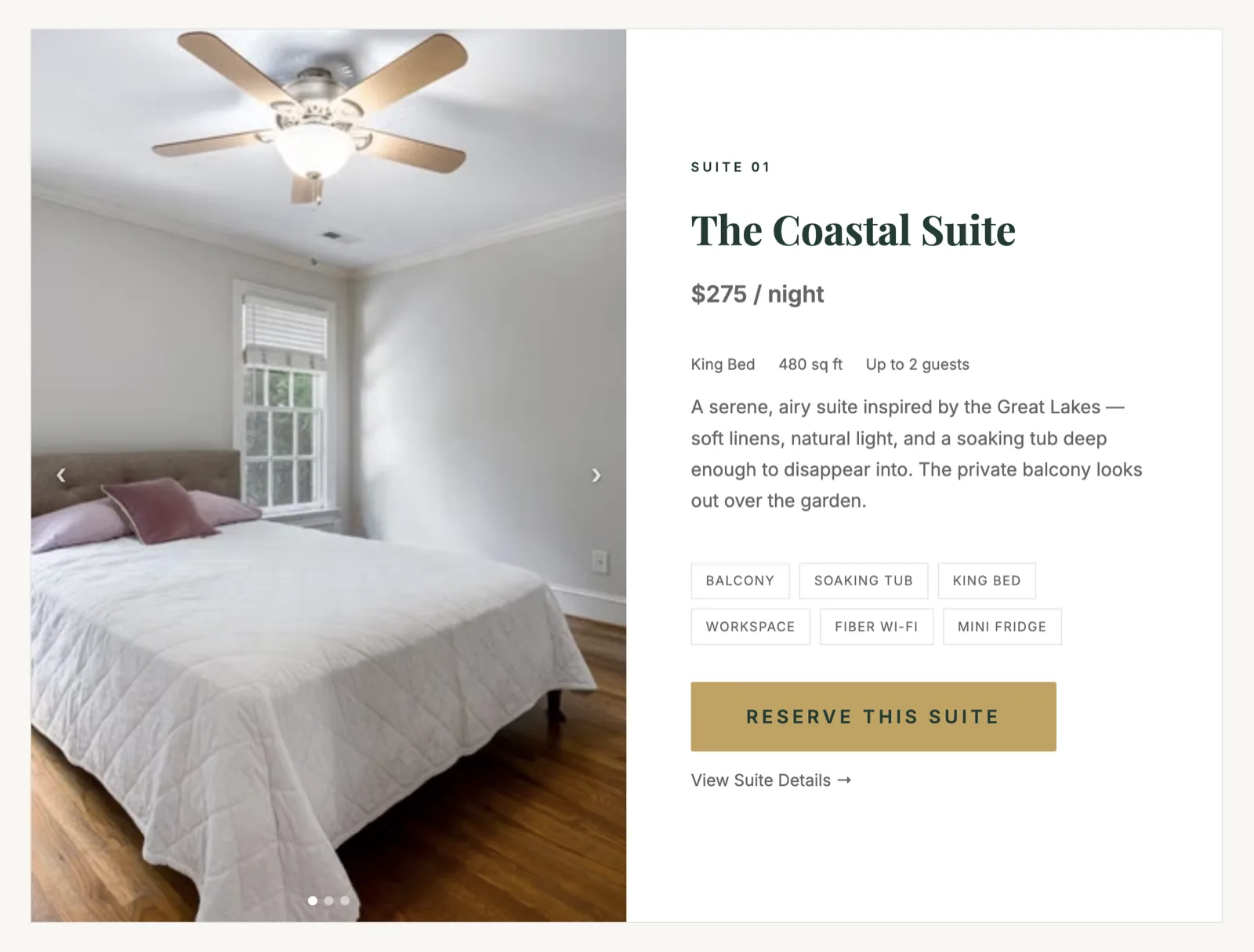
Each suite has its own page with photos, description, pricing, and a direct booking button. Guests arriving from search land on a dedicated room page and can book in one click — the booking form pre-selects their room automatically. The owner manages all room listings from the admin dashboard without touching code.
Availability Calendar
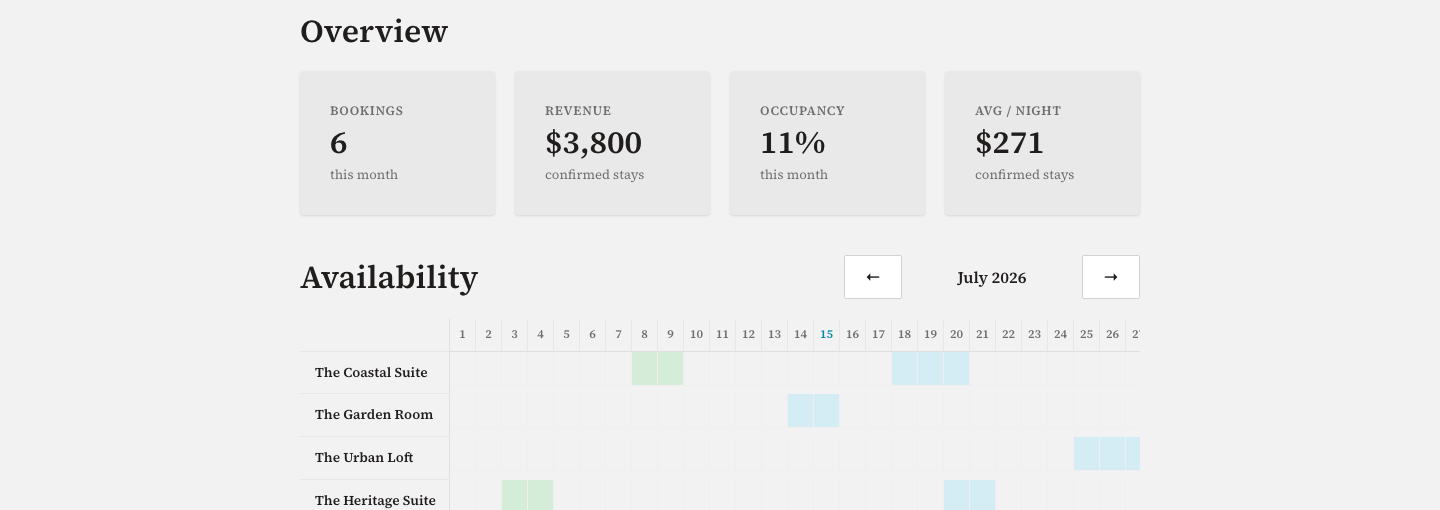
The admin includes a tape-chart style occupancy grid — every room across every night of the month in a single view. Navigate by month to spot gaps, identify fully-booked nights, and block dates for maintenance or external bookings. No spreadsheet, no third-party channel manager.
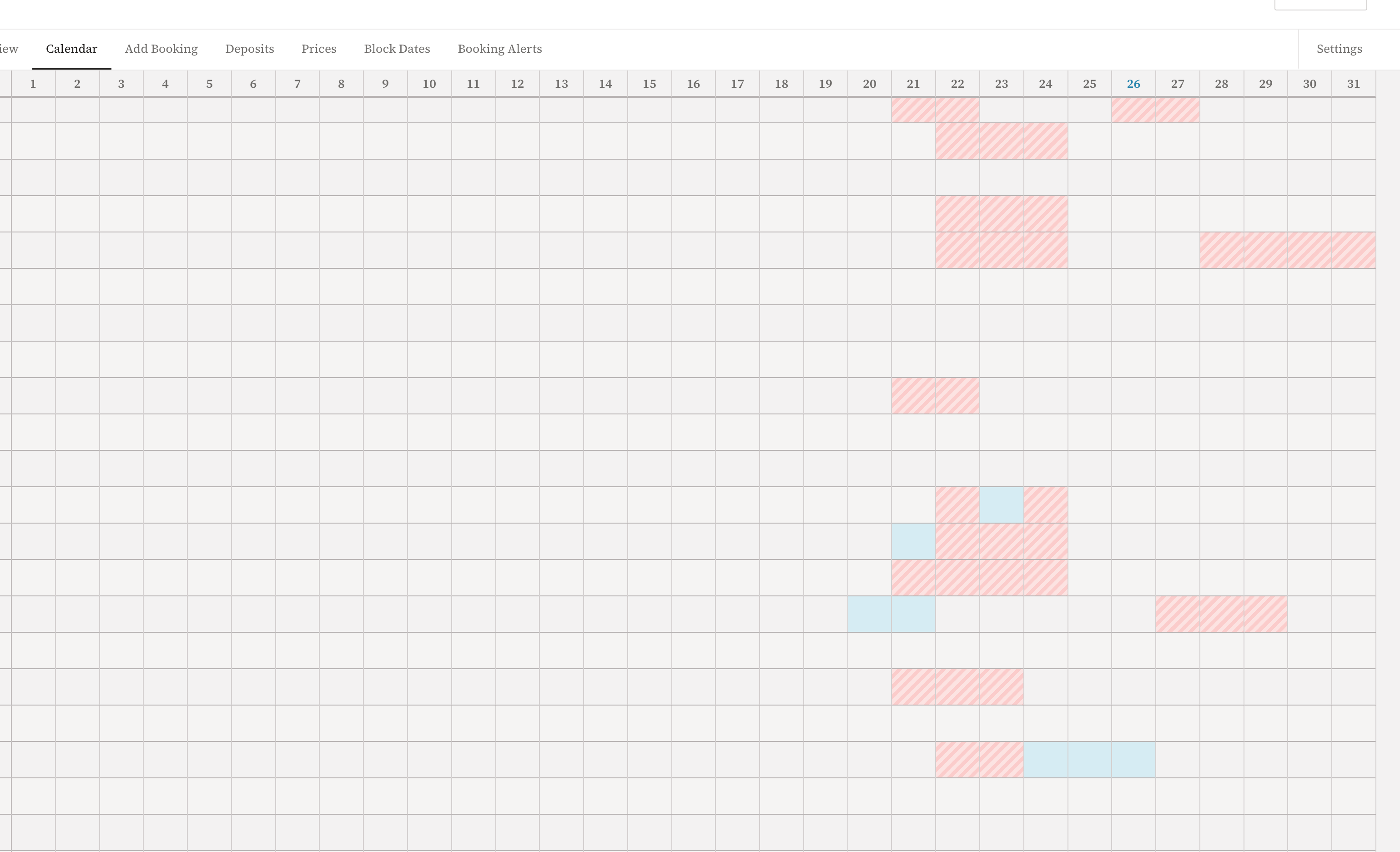
After launch, the client flagged that the grid was hard to read — the day columns and room rows didn't have enough visual separation to track easily. I made three targeted changes: darkened cell borders from near-invisible #f0eeee to distinct values (columns lighter, rows heavier, so the eye tracks horizontally first); added alternating row shading so each room stripes consistently across the full horizontal scroll; and added a position tooltip to every cell — including empty ones — so hovering any cell shows "Room Name · Wed, Aug 26" instead of nothing. Small change, immediate clarity improvement. Shipping is not finishing.
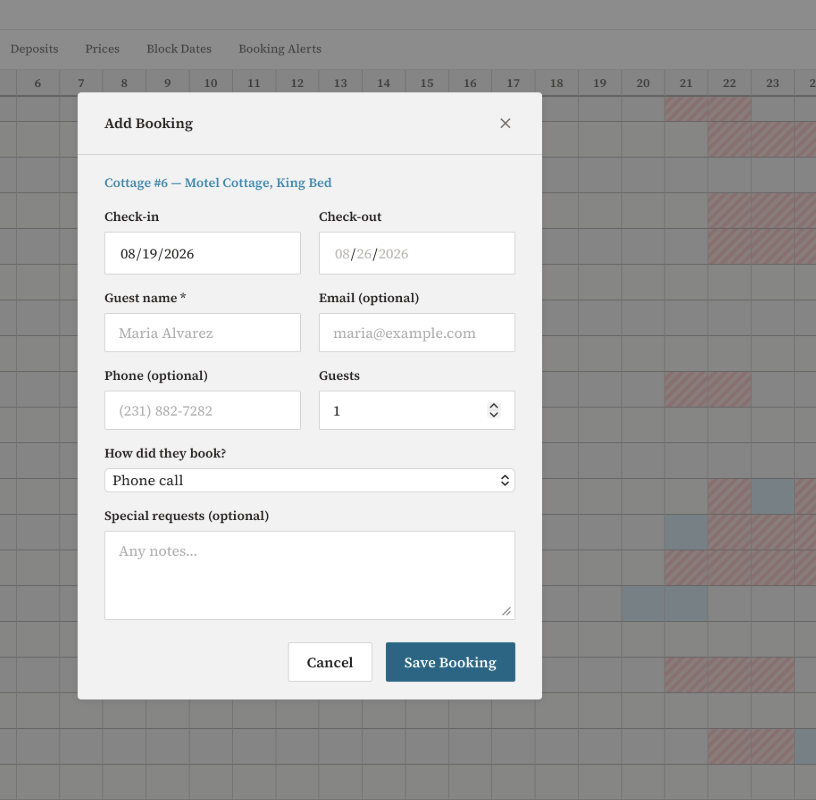
The calendar also doubles as a booking entry point. Clicking any cell opens a form to log a reservation directly — room and date pre-filled from the cell — so the owner can record phone-in bookings or OTA reservations from Expedia or Hotels.com without leaving the occupancy view. The grid stays the source of truth: book it here, it blocks immediately.
Booking Confirmation
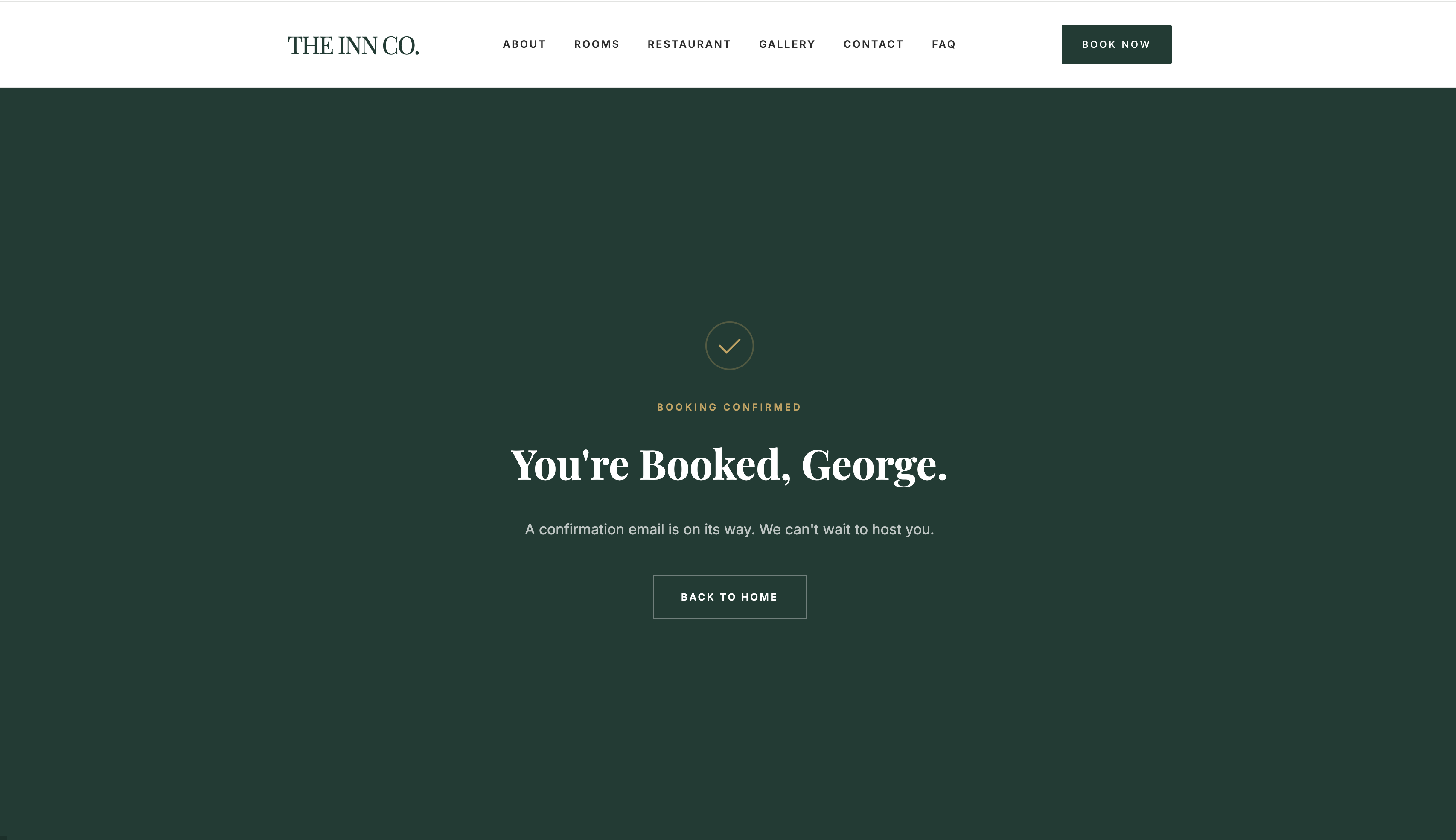
After payment, the confirmation page fetches live booking details using the Stripe session ID and displays the confirmed room, dates, and total paid — no polling, no waiting. Guests also receive a confirmation email immediately with a cancel link tied to their unique reservation token.
Reviews
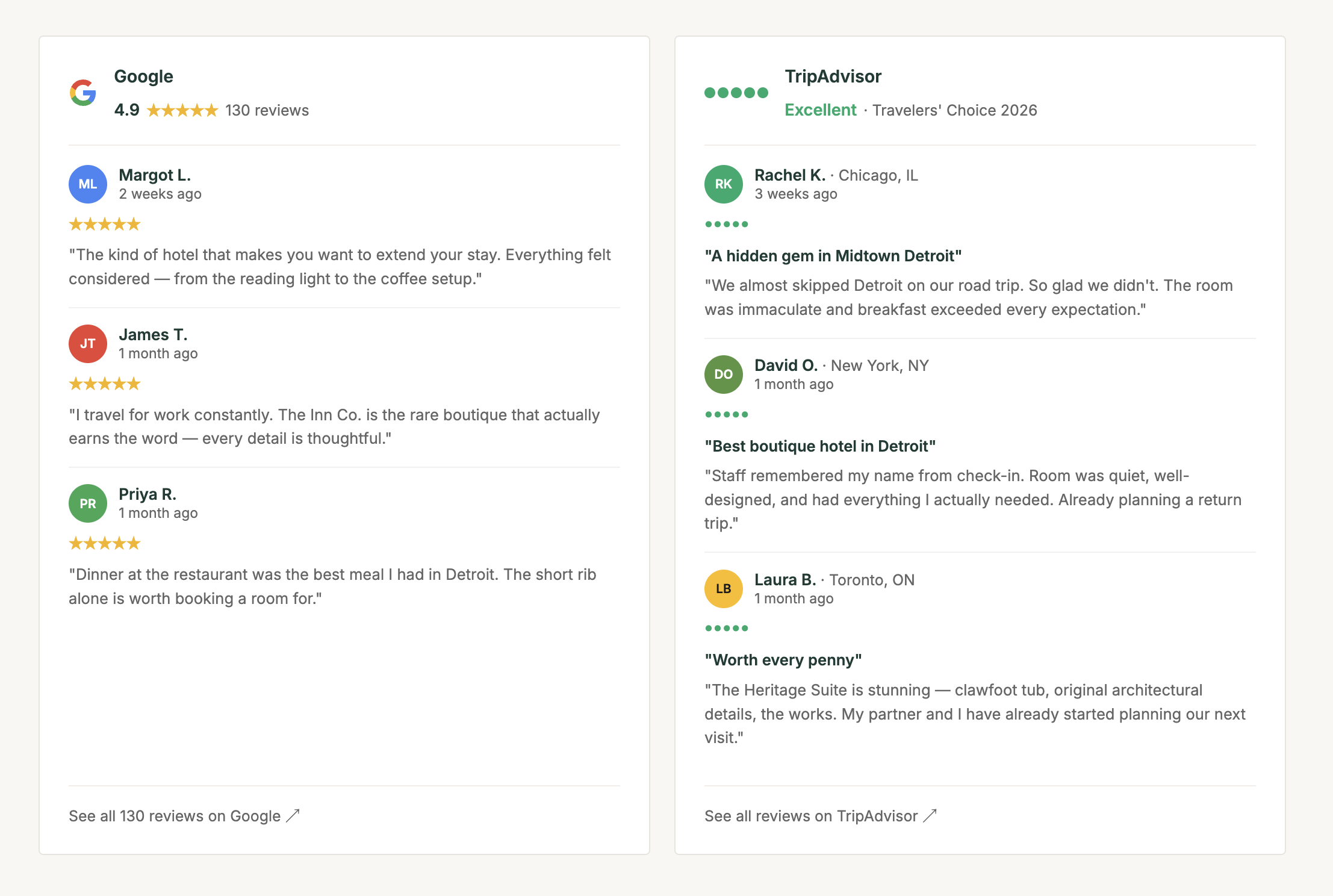
Live Google and TripAdvisor review widgets pulled directly onto the homepage — guests see real ratings without leaving the site, and the owner doesn't maintain anything manually.
Explore the Inn
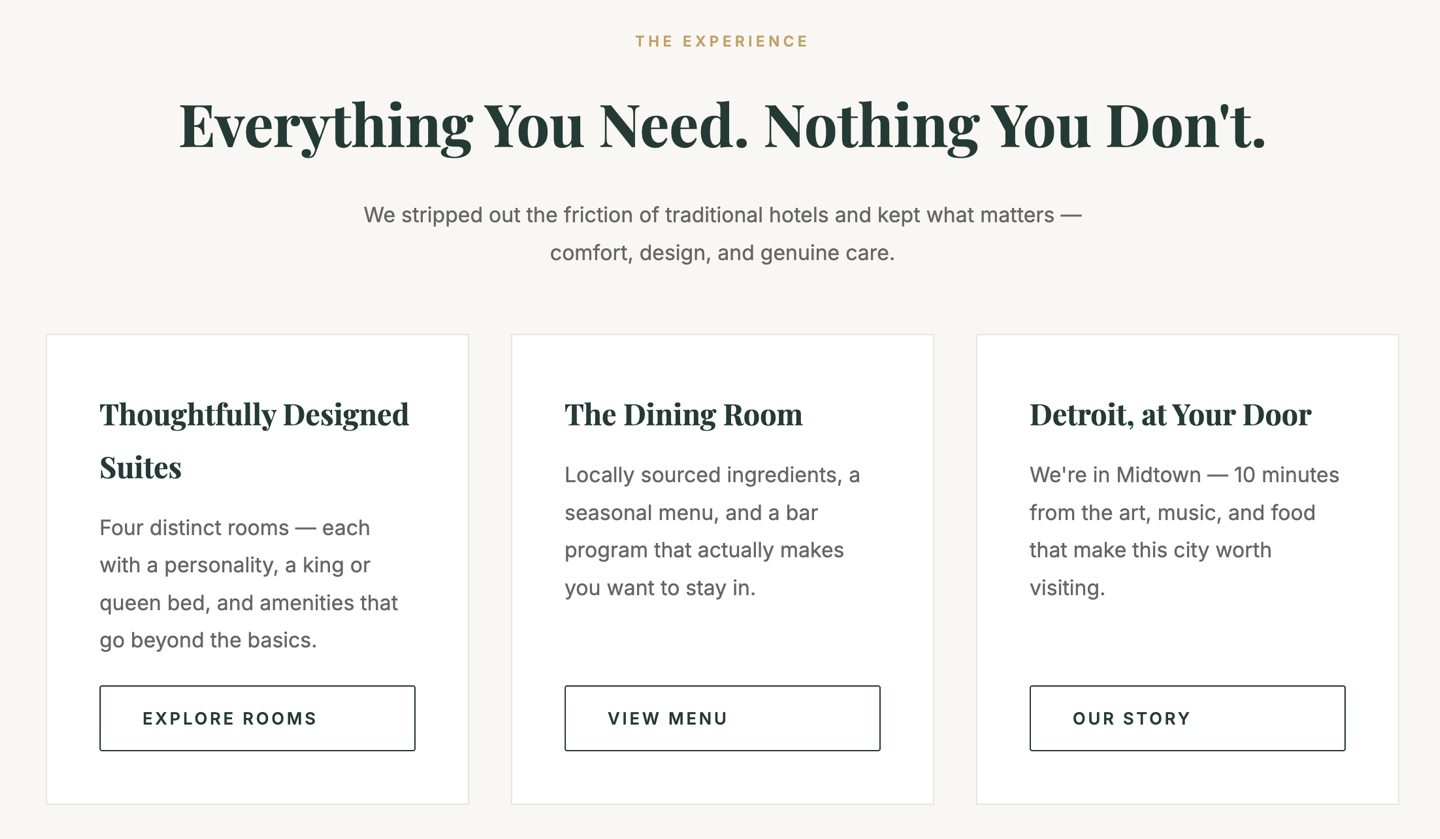
A clear navigation section that gives first-time visitors an immediate path forward — browse rooms, visit The Dining Room (open to guests and the public), or learn about the property. Designed so a guest can orient themselves and get to booking without hunting through the nav.
FAQ
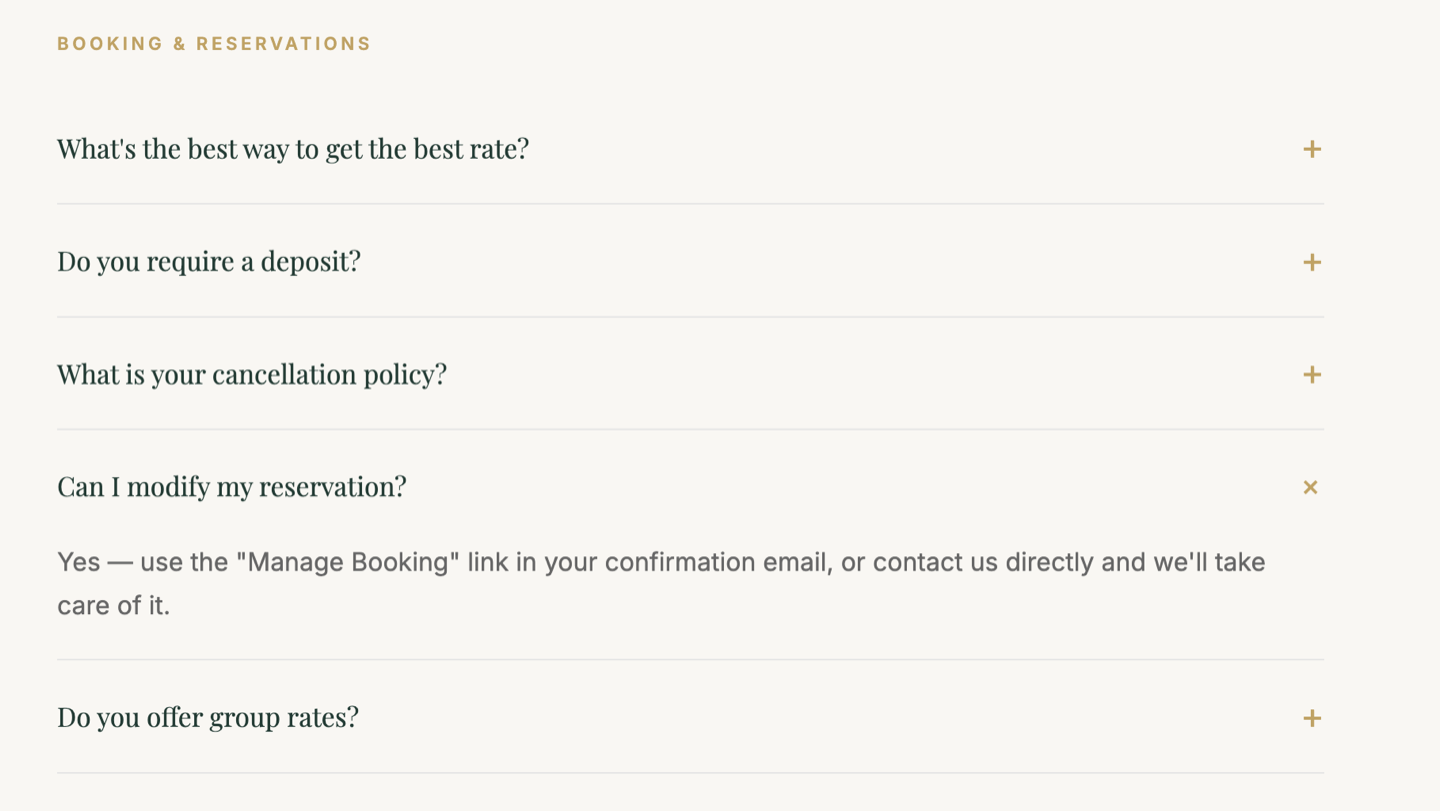
Three organized sections — Booking, Arrival, and Food — covering the questions guests actually ask before they show up. Structured around the guest's journey rather than a generic catch-all list.
Find Us
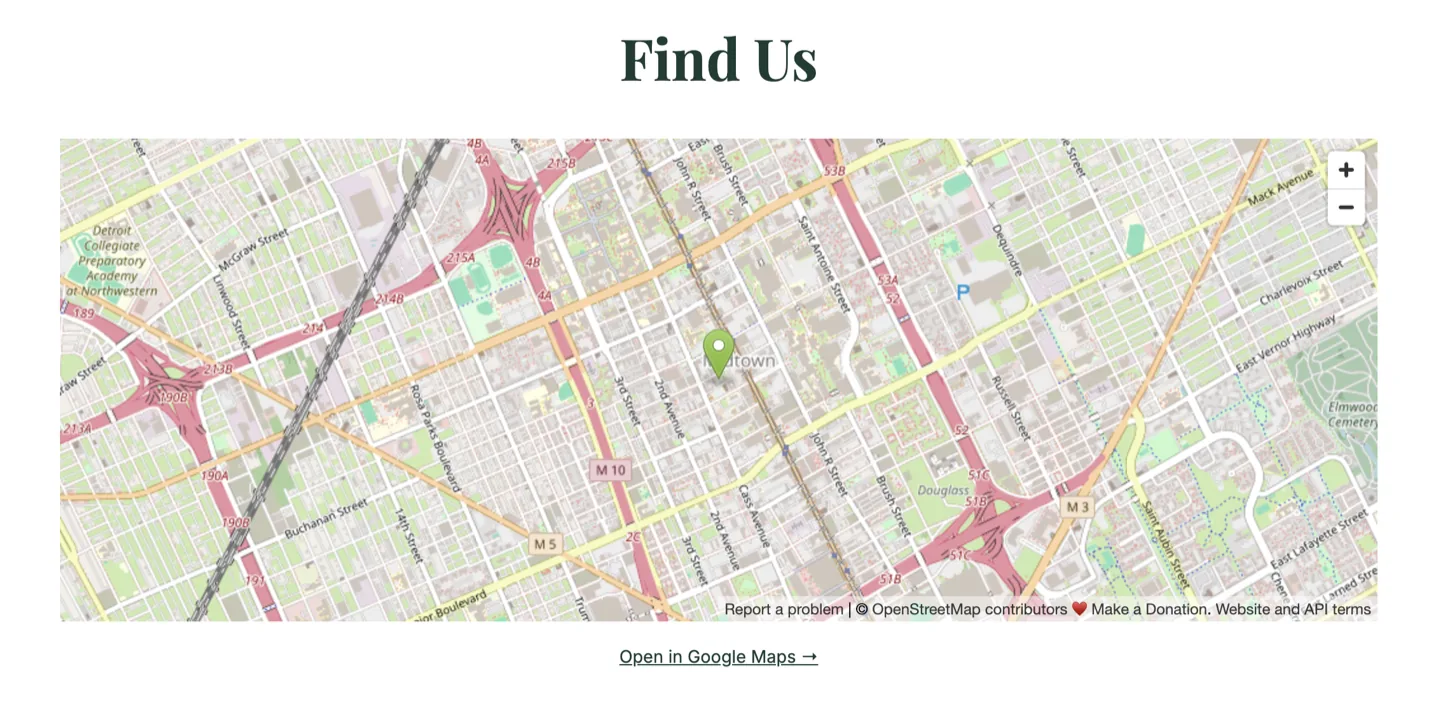
An embedded map section so guests can orient themselves before arrival — neighborhood, parking, and nearby landmarks at a glance without leaving the site.
Explore the Area
A Google Street View embed lets guests virtually walk the resort grounds and surrounding area before they arrive — click the arrows to move through the neighborhood, see the lake, and get a feel for the property. No screenshot could show this; it's interactive and live on the site.
Find Your Reservation
Guests look up any booking with just their email and check-in date - no account required.
Mobile Experience
Technical Implementation
Booking & Payment Flow
The booking confirmation flow is webhook-driven - Stripe fires a checkout.session.completed event after payment clears, which writes the reservation to Supabase and triggers the confirmation email via Resend. A failed or abandoned payment never creates a booking record. After payment, the success page fetches live booking details using the Stripe session_id from the redirect URL and displays the confirmed room, dates, nights, and total paid - no polling, no waiting. Five email flows run through Resend: booking confirmation, cancellation receipt with refund status, pre-arrival reminder sent 2 days before check-in, post-stay review request sent the day after checkout, and contact form notifications routed to the owner.
Deposits & Balance Tracking
Guests pay a $100 deposit per room at booking through Stripe Checkout. The balance owed is collected by the owner at the front desk before check-in. After checkout.session.completed fires, the webhook records the deposit_amount and payment_intent_id on the reservation row. The admin dashboard shows a Deposits & Balances view per booking - the owner marks each balance paid with one click via a PATCH /api/admin/reservations/:id/balance-paid endpoint. Reservations added manually by phone have no payment_intent_id and display "No deposit" with the full amount due at front desk. The deposit status is derived from the getDeposit() helper: uses deposit_amount if set, falls back to $100 only when a payment_intent_id is present, otherwise $0.
Custom Email Templates
Email templates (booking confirmation, pre-arrival, post-checkout) are stored as a JSON string in the tenant_settings table. The admin dashboard exposes a full editing UI for subject and body, with live preview using sample data. At send time, a shared applyEmailVars() utility substitutes all {{variable}} placeholders with real reservation data. The cron jobs and webhook handler both read from the stored template first and fall back to hardcoded defaults if no custom template is saved, so the system works out of the box without requiring any configuration.
Automated Email Scheduling
Pre-arrival reminders and post-stay review requests run on node-cron jobs inside the Express server - no external scheduler required. The pre-arrival job fires daily at 10 AM, queries all reservations checking in N days out (configurable per tenant, default 2), and sends each guest a reminder using their custom or default template. The post-stay job fires at 11 AM, finds all recent checkouts, and sends a thank-you with a review link. Both jobs are scoped per-tenant and use boolean flags (reminder_sent, review_email_sent) on each reservation row to guarantee exactly-once delivery even if the server restarts mid-run.
Guest Experience
Each suite has its own SEO-optimized URL (/rooms/coastal-suite, /rooms/garden-room, etc.) served by a single dynamic Express route. Room data, meta tags, the Open Graph image, and the canonical URL are all populated client-side from a JavaScript data map. Guests can look up any reservation at /my-booking using just their email and check-in date - no account required. A homepage availability widget accepts check-in and check-out dates and redirects to the rooms page with the dates as URL params - the rooms page reads those params, calls the availability API, and overlays an unavailability state on any booked rooms before the guest picks one. Clicking through pre-fills the booking form with both the room and the dates. A Local Guide page - filterable by category (Arts, Food, Coffee, Music, Outdoors) - gives guests curated neighborhood recommendations from the owner's perspective.
Demo Mode
A read-only demo mode makes the admin dashboard accessible from this portfolio without exposing write endpoints or requiring a login. The page detects a ?demo=true URL param and renders pre-seeded reservation and room data client-side, skipping all API calls for data loading. Every mutating action - status changes, form submissions, adding blocks, deleting rooms, saving API keys - is intercepted before it reaches the server and replaced with a toast notification. No demo session ever touches the database.
Cancellation & Refunds
Each reservation is issued a UUID cancel token at insert time. The confirmation email carries that token in a link - no guest account required, and the URL cannot be guessed or enumerated. When a guest clicks the link, the server checks the check-in date: cancellations made more than 48 hours before check-in receive a full refund of their $100 deposit, processed automatically through the Stripe API. Cancellations within 48 hours of check-in forfeit the deposit - the booking is marked cancelled and no refund is issued. The balance owed (collected at the front desk) is never charged through Stripe and is unaffected in either case.
Auth & Multi-Tenancy
The admin dashboard is protected by Supabase Auth with a rate-limited login endpoint and JWT validation on every protected route. The architecture is multi-tenant from day one - a single middleware reads an X-Tenant-Slug request header and scopes every database query to that property. When an owner saves a Stripe or Resend key via the dashboard, it syncs to both the tenant's local settings table and the shared platform API so checkout sessions and webhooks both use the client's own keys. Onboarding a second hotel means inserting a row and deploying a new Vercel project - no schema changes, no code forks.
SEO & Analytics
Schema.org Hotel JSON-LD structured data on the homepage enables Google rich results. GA4 is wired to all public pages. Individual room pages have unique <title>, meta description, Open Graph, and canonical tags set dynamically per room. Verified passing in Google's Rich Results Test. Microsoft Clarity is deployed across all 16 public pages for session recordings and heatmaps — form inputs are masked by default so no guest data is captured. The privacy policy discloses both tools and the Stripe payment processor explicitly.
The Outcome
A direct booking platform the owner controls outright - live at crystallakeresortmi.com ↗, capturing bookings at zero commission versus the 15% the owner paid on OTA platforms. $1,935 processed through the platform in under a week of launch, with 7 bookings and 3 months of pre-existing reservations blocked to prevent double-booking from prior OTA channels. Guests pay a $100 deposit at booking, get an immediate confirmation, look up their reservation anytime, and cancel themselves. Pre-arrival reminders go out 2 days before check-in using templates the owner writes. Post-stay emails fire the morning after checkout with a direct Google review link — a flywheel that compounds the property's local search ranking with every booking the platform handles. By launch month the site was ranking organically for branded queries — 990 impressions, 29 direct clicks — with no paid ads and no OTA listing required. Within 3 months of launch, the site had accumulated 129 impressions in Google's Generative AI search results, appearing in AI-generated answers without any additional optimization.
A non-technical client can connect Stripe and Resend, configure rooms, set lodging tax and seasonal pricing, and start taking bookings entirely through the dashboard - no developer needed after handoff. The multi-tenant architecture means white-labeling the platform for another property costs one database row and a Vercel deploy. Designed and built solo as part of the Small Business Suite.
Live Client - Crystal Lake Resort
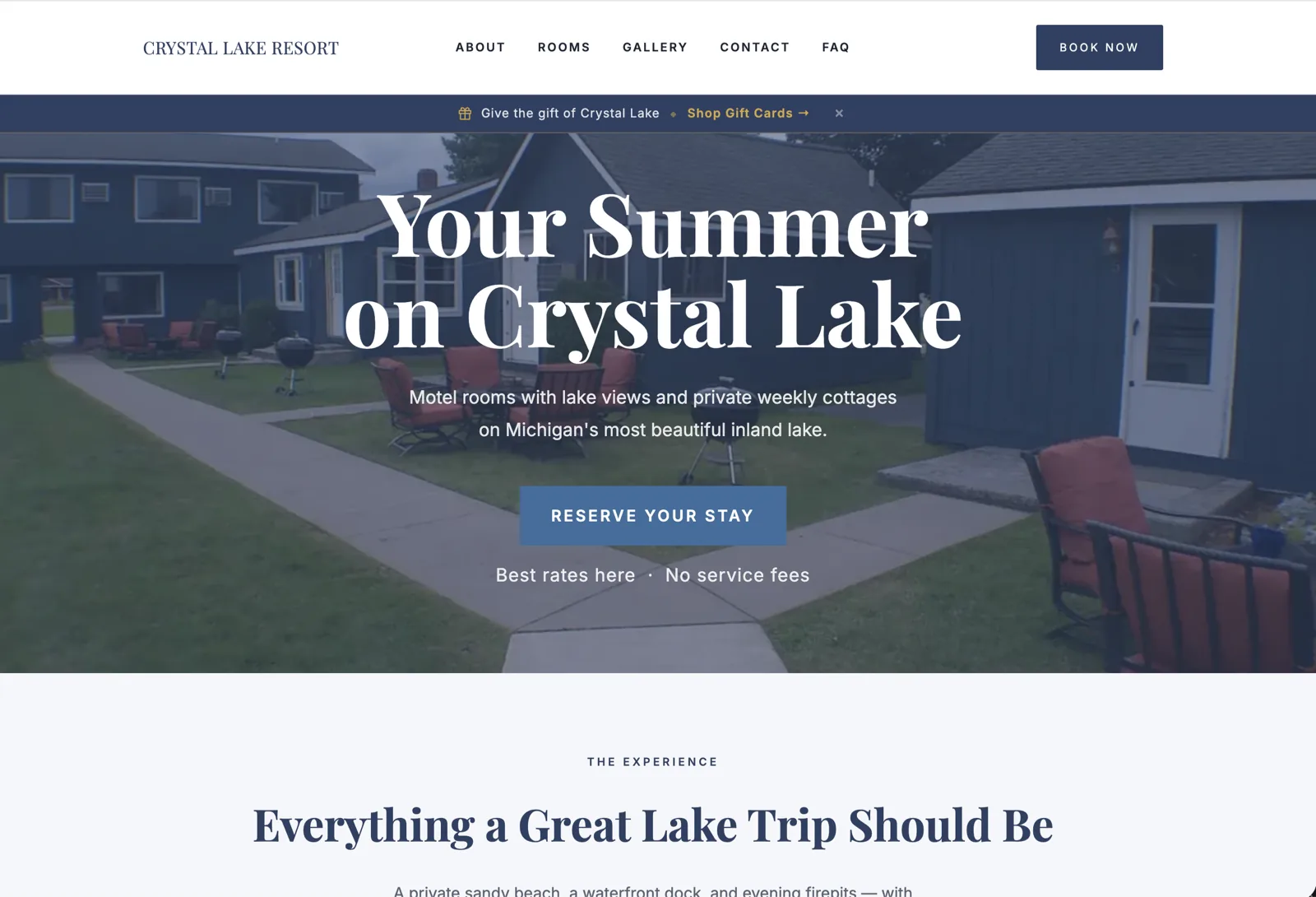
Crystal Lake Resort | Michigan
Motel rooms with lake views and private weekly cottages on Michigan's most beautiful inland lake.
 Scan or click to visit the live client site
Need a website for your business? I take on select freelance web projects.
Let's talk →