

The Landscape Co.
A fully deployed spec website for a fictional Bay Area garden design and maintenance studio, built from scratch in vanilla HTML, CSS, and JavaScript, with a live contact form backed by the Small Business Suite API and 10 individual project detail pages.
The Problem
Garden design studios typically rely on Instagram or a single-page Squarespace site to represent their work - neither of which gives a serious business the presence it earns. The goal was to build a site that felt genuinely editorial and premium: photo-driven, typographically considered, and with enough depth (a real portfolio with individual project write-ups, a clear services breakdown, a team page, and a working contact form) to hold up against a professionally commissioned site. No framework, no template - hand-coded from scratch and wired to a live backend.
Try It
Previewing at tablet width. Open the full site ↗ for the desktop experience. Also fully optimized for mobile.
You're on mobile - open the full site ↗ for the best experience.
Portfolio
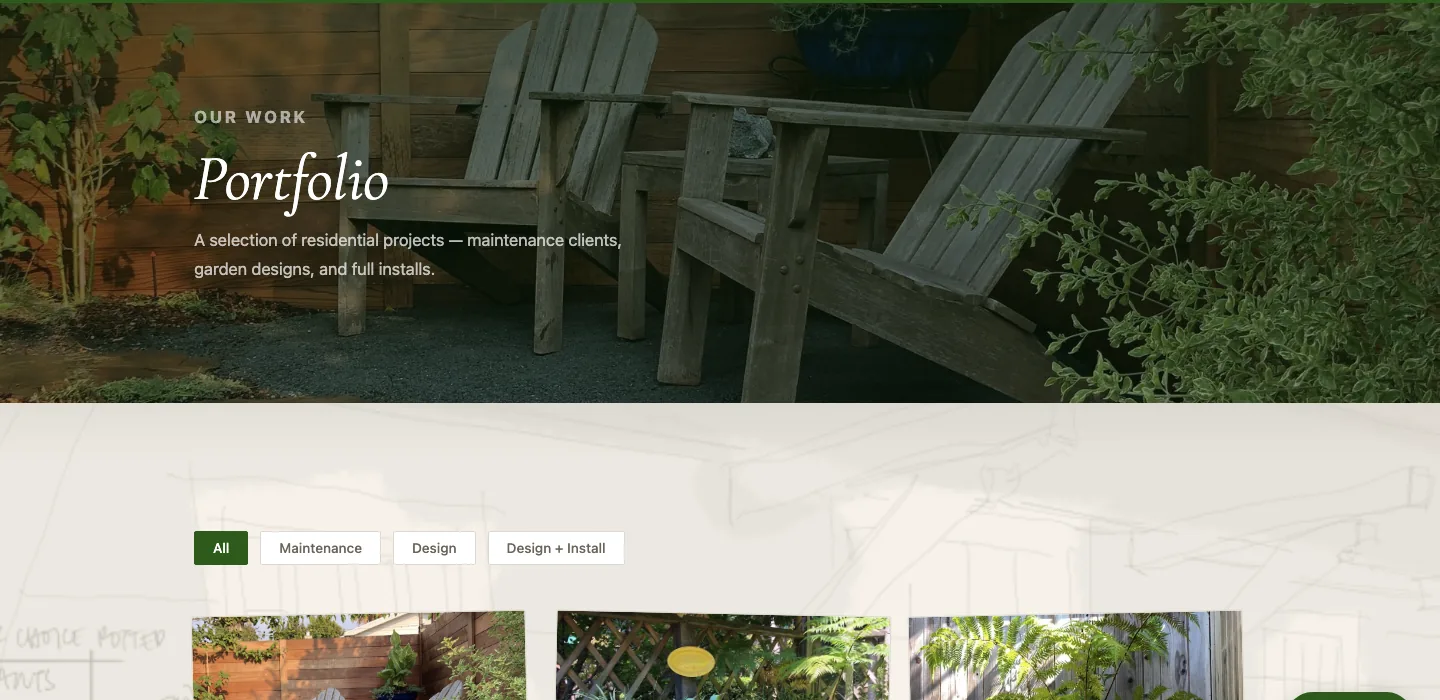
The studio's primary sales tool - a gallery of ten past client projects that prospective clients can browse before reaching out. Each project has its own page with photos, a written account of the work, and specs like plant list, site conditions, and timeline. Filterable by service type so clients looking for a full install aren't scrolling through maintenance jobs.
Before & After
The A Quarantine Patio project features an interactive drag slider comparing the space before installation against the finished native garden. Works on both desktop and mobile.
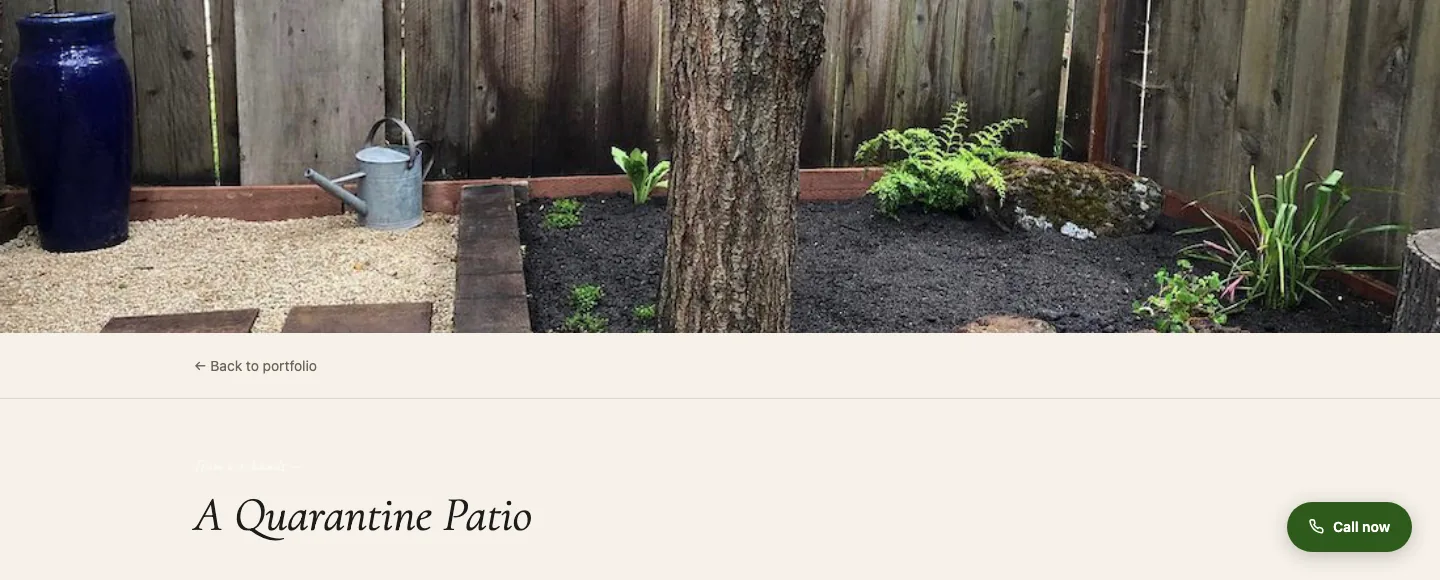
Try the live slider at yarrow-gardening.vercel.app/portfolio/berkeley-hills.html ↗
In the Garden Now
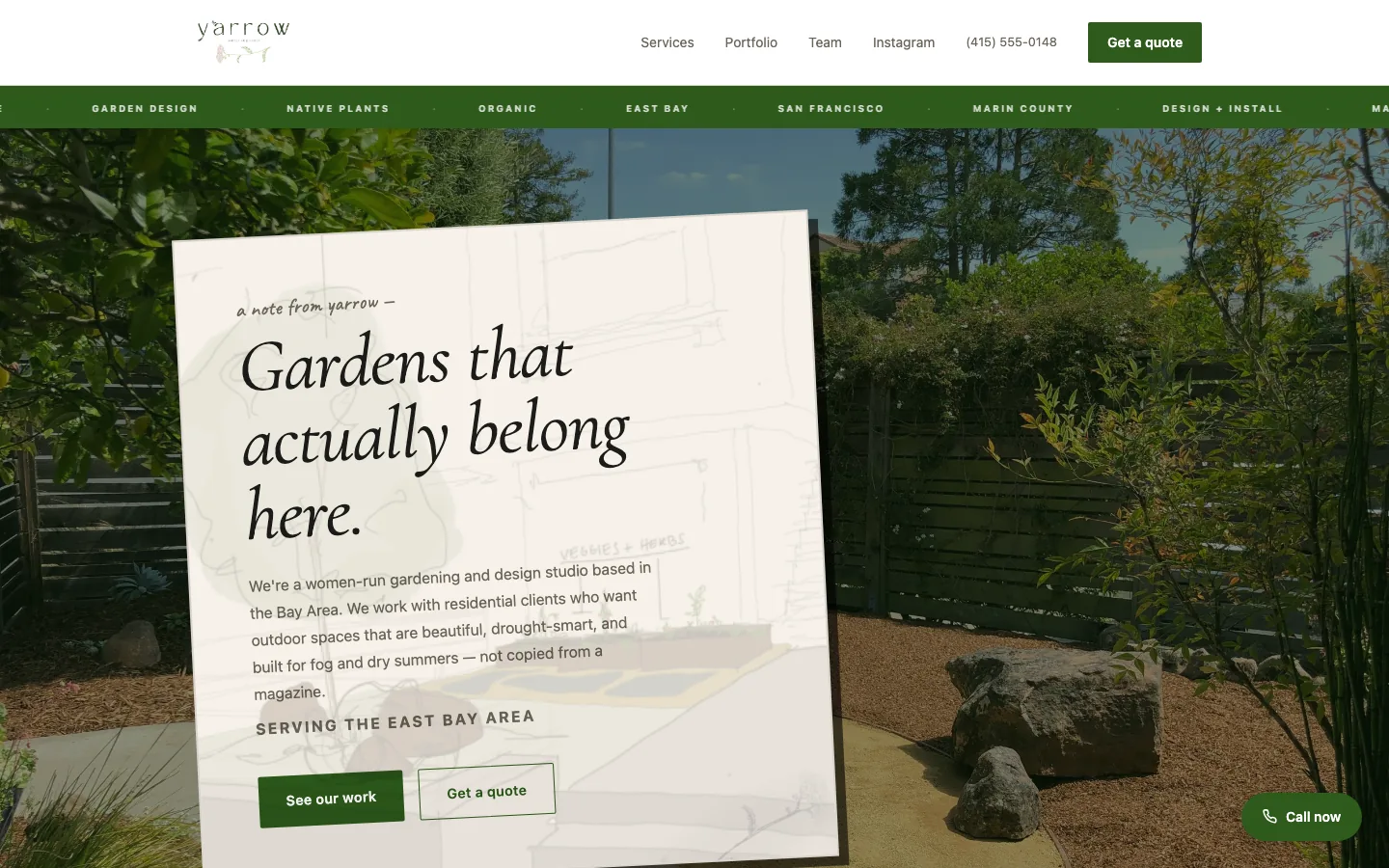
The homepage includes a seasonal planting section that reads the current month with JavaScript and renders a different set of Bay Area plants depending on the season - winter shrubs in December, drought-adapted species in summer. No API call, no database, no build step. It updates itself four times a year automatically.
Mobile Experience
The full site is responsive from 320px up. On mobile, the nav collapses into a full-screen overlay triggered by a hamburger button - no library, just a CSS class toggle. The before/after slider and portfolio filter both work on touch. The contact form submits correctly on mobile with inline success and error states.
Contact Form
The contact form submits to the Small Business Suite API, which validates the payload, writes the submission to Supabase, and sends an email notification through Resend. The studio owner receives an email immediately. On the client side, the form shows an inline success message on completion and an error state if the request fails - no page reload, no third-party form service.
Technical Implementation
Site Architecture
Seven top-level pages (homepage, services, portfolio, team, Instagram, contact, 404) plus a portfolio/ subfolder containing 10 individual project detail pages - 17 HTML files in total. All styles live in a single css/styles.css file using CSS custom properties for brand colors and font stack. JavaScript lives in a shared js/main.js that handles nav, scroll fade-ins, a lightbox, and a before/after drag slider - plus inline scripts for page-specific features like seasonal plant rendering.
Mobile Navigation
On desktop, the nav is a standard flex row. On mobile, tapping the hamburger button transforms it into a full-screen cream-colored overlay using position: fixed; top: 64px; bottom: 0 - no JavaScript library, just a CSS class toggle on display: flex. The three hamburger bars animate into an X via transform: rotate() and opacity: 0 on the middle bar. Clicking any nav link dismisses the overlay by removing the .open class.
Portfolio Filter
Each portfolio card carries a data-category attribute (Maintenance, Design, or Design + Install). The filter buttons compare btn.textContent.trim() against item.dataset.category and toggle display: none / block. No external library - 10 lines of vanilla JavaScript.
Contact Form & API
The contact form submits to the Small Business Suite's Express API at webplatform-api.vercel.app/api/contact, identified by an x-tenant-slug: yarrow-gardening header. The API validates the payload, writes the submission to Supabase, and sends a notification through Resend. The client shows an inline success state on resolution and an error message if the request fails - no page reload.
Typography & Design System
Cormorant Garamond (serif, italic variants at 400 and 600 weight) is loaded via Google Fonts and used for all headings and the nav logo. Body copy and UI elements use system-ui. Six CSS custom properties cover all brand colors, keeping the design system consistent across all 17 pages. All interior page headers use a dark-gradient overlay technique (linear-gradient(rgba overlay) + url() center/cover) over Pexels CDN photos - matching the homepage hero aesthetic without separate CSS blocks per page.
Scroll Fade-Ins
Every major section uses an IntersectionObserver in main.js to watch for .fade-in elements entering the viewport. On intersection, a .visible class is added which triggers a CSS opacity: 0 → 1 and translateY(22px) → 0 transition. The observer unsubscribes after firing so there's no ongoing cost.
Before/After Drag Slider
The A Quarantine Patio project page features a before/after slider comparing a dry unused lawn (before) against the finished native garden (after). The implementation uses CSS overflow: hidden on a clipping div whose width is updated via pointermove and touchmove events. The "after" image is positioned normally; the "before" is absolute-positioned with its width set to match the container so object-fit: cover works correctly at any drag position.
Image Lightbox
On all 10 project detail pages, clicking any gallery image opens a full-screen lightbox. The lightbox element is injected into the DOM by main.js once on load - not duplicated in every HTML file - and a single event delegation loop on .project-gallery img handles all click targets. Closes on click-outside or Escape. Body scroll is locked while open via document.body.style.overflow = 'hidden'.
Seasonal Planting Feature
The homepage includes a "In the garden now" section that detects the current month with new Date().getMonth() and renders a different set of three Bay Area plants depending on the season. All four seasonal datasets are stored as a plain JS object in an inline <script> tag and the DOM is written with innerHTML on page load - no API call, no build step, no dependencies. Visitors in winter see native shrubs suited for winter planting; summer visitors see drought-adapted species.
SEO
Schema.org LandscapingBusiness JSON-LD structured data on the homepage with service area, contact details, and social links. Verified passing in Google's Rich Results Test.
Accessibility
After running a Lighthouse audit, two failures were found: footer text contrast ratios below 4.5:1 (WCAG AA) and no <main> landmark on any page. Footer color values were adjusted from rgba(255,255,255,0.28) to rgba(255,255,255,0.50) and above. A Python script was used to insert <main> and </main> tags at the correct positions across all 14 content pages at once, rather than editing each file by hand.
The Outcome
A site that holds up against professionally commissioned work - not because it uses a framework or template, but because every decision was made deliberately: the editorial dark-green testimonial layout instead of a card grid, the drag slider that works equally on mouse and touch, the seasonal planting feature that updates itself four times a year without a database. Designed and built solo in two weeks. Part of the Small Business Platform Suite.

Need a website for your business? I take on select freelance web projects.
Let's talk →